
 EN


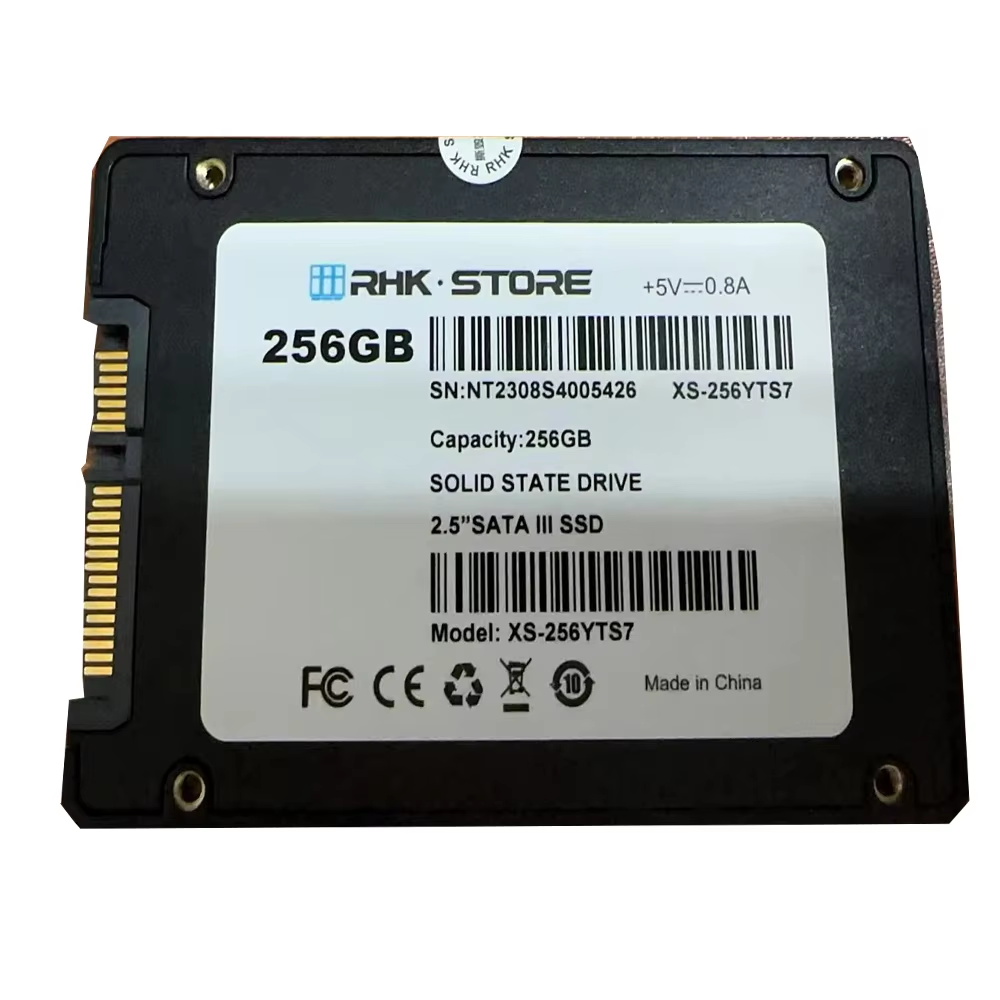
Why an SSD Cannot Replace RAM: The Fundamental Hardware Divide
A core misconception in computing is the idea that a fast SSD could function as system memory. The divide between an SSD and RAM isn’t about speed alone—it’s rooted in fundamentally different hardware architectures and system roles.
RAM is volatile memory: it requires constant power to retain data and is engineered for the CPU’s immediate, byte-addressable read/write operations during active computation. It connects directly to the CPU via a dedicated, high-bandwidth memory bus—enabling sub-100 nanosecond access times in modern DDR4/DDR5 systems.
An SSD, by contrast, provides non-volatile storage. It uses NAND flash memory to retain data without power, serving as the system’s long-term repository—not its working memory. SSDs interface through storage controllers and buses (PCIe or SATA) that are orders of magnitude slower and not designed for CPU-direct addressing. Even the fastest NVMe SSDs operate with ~100 microsecond latency—over 1,000× slower than DRAM. This architectural chasm makes SSDs physically incapable of replacing RAM. Attempting to use one as main memory would create a catastrophic bottleneck, collapsing system responsiveness and rendering real-time execution impossible.
SSD-Backed RAM Disks: How Hybrid Caching Bridges Performance Gaps
While an SSD cannot substitute for RAM, it can enhance RAM disk reliability—bridging the gap between volatility and persistence. An SSD-backed RAM disk doesn’t turn the SSD into memory; instead, it leverages the SSD’s non-volatility to checkpoint and recover the contents of a volatile RAM disk. The result is a high-speed virtual drive that delivers memory-bus performance while surviving reboots and power loss.
How RAM disks with SSD persistence work (snapshot, auto-save, crash recovery)
Hybrid RAM disks operate by mapping a virtual drive in DRAM to an image file stored on the SSD. At boot, the image is loaded into RAM, enabling all I/O to run at native memory speed. To preserve data integrity, software implements three coordinated mechanisms:
- Snapshotting: Periodic full-state copies of the RAM disk are written to the SSD image file. These serve as stable recovery points.
- Auto-save: Intelligent write scheduling—triggered by time intervals (e.g., every 300 seconds), idle periods, or file-close events—minimizes unnecessary writes and avoids SSD wear from constant small updates.
- Crash recovery: In case of failure, recovery relies on the most recent snapshot. Advanced implementations go further, using journaling: only changed blocks are logged in real time to the SSD. On reboot, the RAM disk reconstructs its state by replaying the journal—restoring near-last-write consistency without requiring a full reload.
Real-world use cases where SSD-backed RAM disks deliver measurable gains
SSD-backed RAM disks shine where sustained, low-latency I/O intersects with data durability requirements.
In database environments, placing tempdb, transaction logs, or sort buffers on a hybrid RAM disk eliminates storage-induced stalls in query processing and index rebuilds—while recovery models ensure restarts don’t corrupt state. Benchmarks from the Standard Performance Evaluation Corporation (SPEC) show up to 40% faster 8K frame rendering in professional video workflows when scratch files reside on such a disk, versus even top-tier NVMe arrays. Similarly, large-scale build and compilation pipelines benefit significantly: thousands of temporary object files are generated and accessed at memory speed, with final outputs automatically synced to the SSD—cutting total compile time while guaranteeing reproducibility and resilience.
Setting Up an SSD-Optimized RAM Disk: Tools, Configuration, and Best Practices
Integrating a RAM disk with SSD persistence requires careful tool selection and configuration—balancing performance, data safety, and SSD longevity.
Comparing Popular RAM Disk Solutions for SSD-Integrated Workflows
Two dominant approaches exist for SSD-aware RAM disks. The table below highlights their distinguishing traits:
| Feature | Tool A (Volatile‑First) | Tool B (Persistent‑First) |
|---|---|---|
| Snapshot & Auto‑Save | Granular, interval‑based image saves to SSD; supports differential backups | Continuous journaling to SSD; snapshot on shutdown only |
| Crash Recovery | Restores from last image save; minimal data loss if auto‑save is frequent | Immediate recovery from SSD journal; negligible data loss |
| SSD Write Minimization | Adjustable save intervals, dynamic memory‑mapped writes, and wear‑leveling features | Writes only changed blocks; less aggressive caching of metadata |
| Licensing | Freemium with advanced features in paid tiers | Free for basic use; enterprise features paid |
Both tools achieve sub-microsecond RAM access latency. Tool A reduces daily SSD write volume by 30–40% under heavy workloads—ideal for write-intensive tasks like logging or compilation caches. Tool B prioritizes continuity: its journaling model ensures near-instant recovery, making it better suited for mission-critical systems where uptime and consistency are non-negotiable.
Critical Configuration Tips: Sizing, Auto-Save Intervals, and SSD Wear Considerations
Precision in setup determines both stability and SSD endurance.
- Sizing: Allocate RAM based on your active dataset—not total working set. Browser caches or intermediate build artifacts typically need 2–8 GB. Video editing scratch space or database temp tables often perform best with 16–32 GB. Always reserve at least 4 GB for the OS to prevent paging-induced slowdowns.
- Auto-save intervals: Shorter intervals (30–60 seconds) improve data safety but increase SSD writes. For example, saving a 1 GB RAM disk every 30 seconds generates ~2.8 TB of writes per day—well within the endurance limits of a modern 1 TB NVMe SSD rated for 600 TBW. For less volatile workloads, extend intervals to 5–10 minutes—or use idle-triggered saves to reduce write amplification.
- SSD wear mitigation: Enable TRIM, maintain ≥10% free over-provisioned space, and install the manufacturer’s NVMe driver to leverage Host Memory Buffer (HMB) and optimized write combining. Monitor drive health monthly using tools that report remaining endurance. With proper tuning, even daily 330 GB of RAM disk writes pose minimal risk to a consumer-grade 1 TB NVMe SSD over five years.
By selecting an SSD-conscious RAM disk solution and applying these configuration principles, you gain memory-level throughput with persistent reliability—without compromising SSD lifespan.
FAQs
Can an SSD function as RAM?
No, SSDs cannot replace RAM because they are fundamentally different in purpose and architecture. RAM is volatile memory designed for immediate CPU access, while SSDs are non-volatile storage devices with significantly slower latency.
What is the role of an SSD-backed RAM disk?
An SSD-backed RAM disk bridges the gap between the speed of RAM and the persistence of SSDs. It leverages SSD storage to back up the contents of a volatile RAM disk, ensuring data recovery and integrity even after power loss or reboots.
How do I optimize an SSD-backed RAM disk for durability?
To optimize, use appropriate sizing based on workload, configure reasonable auto-save intervals, and monitor SSD health regularly. TRIM, over-provisioning, and using a manufacturer’s driver are also beneficial for extending SSD lifespan.
What are the critical differences between Tool A and Tool B for SSD-backed RAM disks?
Tool A focuses on periodic image saves and auto-save intervals to reduce SSD usage, while Tool B relies on real-time journaling for immediate recovery at minor data loss risk. Your use case determines the better fit.
Will frequent auto-saves damage my SSD?
Modern SSDs come with endurance ratings (e.g., TBW). With proper intervals and best practices (e.g., TRIM, wear-leveling), daily writes from auto-saves typically don’t significantly affect SSD lifespan even under heavy usage.