
 EN
EN



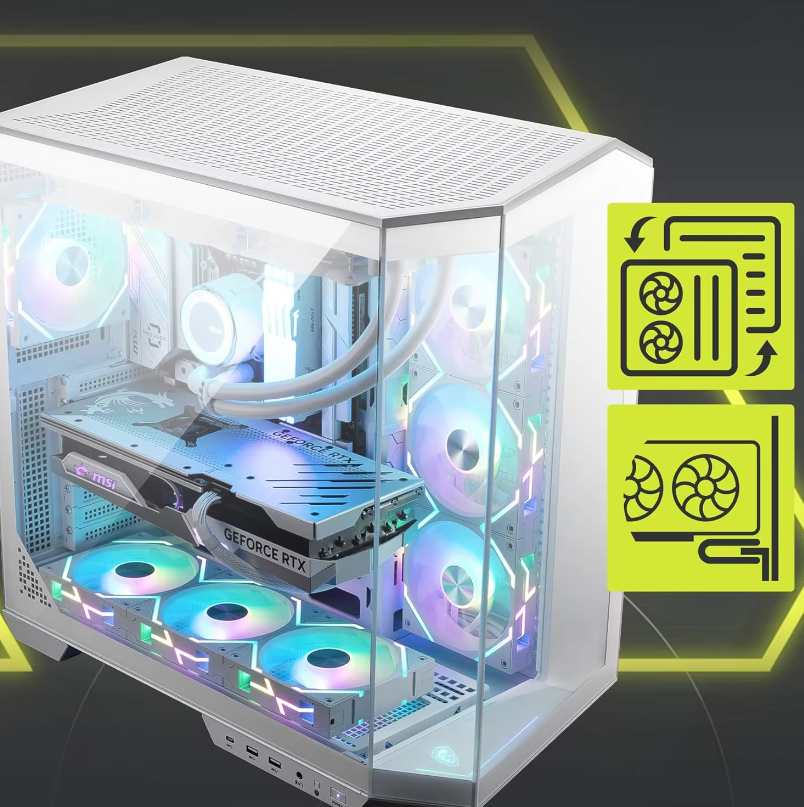
GPU Selection: The Core of Every Gaming PC Custom Build
Matching GPU Tier to Target Resolution and Frame Rate (1080p–4K)
The graphics card selected for a gaming rig makes all the difference when it comes to picture quality, how smooth everything runs, and whether those frames stay consistent during intense gameplay sessions. Most folks looking to game at 1080p resolution between 60 and 144 frames per second can get decent results from mid range GPUs these days, particularly if they take advantage of technologies like NVIDIA's DLSS or AMD's FSR which help boost performance without sacrificing too much visual fidelity. When stepping up to 1440p displays though, users generally see around half the performance compared to what their GPU delivers at 1080p. That means focusing on cards with at least 8 gigabytes of video memory and good memory speed becomes important just to hit that magic 100fps mark in graphically intensive games. For anyone wanting true 4K gaming at 60fps or higher, top shelf hardware remains necessary despite improvements from newer versions of DLSS and FSR making some previously unplayable titles more manageable. Generally speaking, most builders end up spending about 40 percent of their overall budget on the graphics card since it really does determine how well the system performs in actual gaming situations rather than just benchmarks.
| Resolution | Target FPS | GPU Tier | VRAM Minimum |
|---|---|---|---|
| 1080p | 60–144 | Mid-Range | 6–8GB |
| 1440p | 100+ | High-End | 8–12GB |
| 4K | 60+ | Flagship | 12GB+ |
Take the RTX 4070 Ti for instance. It regularly hits 1440p at 120Hz in most big name games these days. Meanwhile, the RTX 4090 still stands alone as the top consumer graphics card that can run native 4K at over 60 frames per second through all the major titles from 2023 to 2024. Performance tests show it averages about 40% better frame rates than other high end cards when dealing with those really demanding graphical tasks. When building or upgrading a PC, matching the GPU power to what the monitor actually needs makes sense. Spending extra bucks on a flagship GPU just to pair with a basic 1080p/60Hz screen doesn't make much sense in practice. The system ends up with performance bottlenecks in other areas and wastes money on unnecessary power that simply isn't used effectively.
CPU and RAM: Optimizing for Low Latency and Consistent Gaming PC Performance
Avoiding Bottlenecks: Choosing the Right CPU for Your GPU in a Custom PC Build
Getting the right balance between CPU and GPU is key to making sure neither part holds back the other. When running at high refresh rates on 1080p displays, we often see CPU limitations kicking in first. That's why focusing on good single core performance matters so much here. The AMD Ryzen 7 7800X3D or Intel Core i5-14600K tend to work well for these setups. Moving up to 1440p resolution and beyond changes things quite a bit though. At those higher resolutions, graphics cards become the bottleneck most of the time. Mid range CPUs with around 6 to 8 cores actually run pretty close to top end models in many gaming situations, usually only lagging by about 3 to 5%. Looking at benchmark results from UL Procyon and checking out what people report in Steam surveys shows something interesting too. Hooking up a cheap GPU with an expensive CPU doesn't really boost frames per second much. But spending that extra money on a better graphics card makes a noticeable difference, typically pushing frame rates up between 15% and 35%. If someone wants their system to stay relevant for years to come, looking for a CPU that supports PCIe 5.0 connections is smart thinking. Options like AMD's X870/X670E series or Intel's 600/700 series chipsets will keep working with future generation graphics cards without needing to replace everything else in the build.
RAM Capacity, Speed, and Dual-Channel Impact on Minimum FPS and System Responsiveness
How RAM is set up really makes a difference when it comes to getting decent frame rates, particularly when dealing with those heavy memory demands we see in open world games or when scenes switch rapidly. Sixteen gigabytes will work okay for most games these days, but if someone wants smooth gameplay at 1440p or even 4K resolution without any hiccups, they'll probably need at least 32GB nowadays. And let's not forget about all the other stuff running in the background too like Discord chats, live streams, or game updates happening simultaneously. Speed does count, sure enough, but there's a limit to how much faster is better. For folks using AMD's AM5 platform, DDR5 modules clocked around 6000MHz with CL30 timings seem to hit that sweet spot. Those on newer Intel systems (the 14th and 15th generations) tend to get better results with DDR5-6400 CL32 kits though. What matters even more than sheer speed is going with dual channel setup rather than just one stick. This basically doubles the available memory bandwidth and can boost minimum frames per second by roughly 10-15% in games where the CPU plays a bigger role. Lower CAS latency values help cut down on input lag which matters a lot in competitive play situations. Don't forget to turn on XMP or EXPO profiles through the BIOS menu either since default settings from JEDEC specifications usually hold back performance somewhere between 20% to maybe 30%. Most people overlook this step and end up missing out on what their hardware is actually capable of delivering.
Storage, Motherboard, and PSU: Foundations for Stability and Future-Proofing
A high-performance gaming PC custom build rests on three interdependent foundations: storage, motherboard, and power delivery.
NVMe SSDs as Standard: Load-Time Reduction and OS Responsiveness in Gaming PC Builds
NVMe SSDs aren't just nice to have anymore; they've become pretty much mandatory these days. With their direct connection to PCIe, newer Gen4 and Gen5 NVMe drives slash game load times anywhere from half to two thirds faster than regular SATA SSDs. Gamers won't experience that annoying stutter when moving quickly between areas or loading up new sections of open worlds. The benefits? Real ones too: maps load quicker, menus don't freeze so much, and the whole system feels more responsive. If going for maximum performance, a PCIe 4.0 drive makes sense as main storage for games and operating systems. Take Samsung's 980 Pro or Western Digital's Black SN850X for instance. While Gen5 tech exists now, most players won't see much difference right away. Still worth considering though if someone wants hardware that will last through next generation titles without needing another upgrade soon after purchase.
Motherboard Compatibility, PCIe 5.0 Support, and DDR5 Readiness for Next-Gen Upgrades
The motherboard basically sets the upper limit for what upgrades are possible in any given system. When shopping around, focus on motherboards featuring PCIe 5.0 x16 slots along with complete DDR5 compatibility, even if starting at DDR5-5600 speeds will do for now. This setup allows room for future GPU and memory module advancements without needing to rebuild the whole system from scratch. The jump to PCIe 5.0 means twice the bandwidth compared to PCIe 4.0 standards (roughly 128GB/s versus 64GB/s), which helps avoid performance hiccups when newer, data hungry graphics cards hit the market. DDR5 brings significant improvements too, with its base clock rate of 4800MT/s and flexible design that outpaces DDR4 capabilities by a wide margin. This matters a lot as modern games and applications push harder for memory throughput, especially those using advanced ray tracing or AI features. For real world reliability, check whether the board has good VRM cooling solutions and regular BIOS updates available. Brands such as ASUS ROG, MSI MPG series, and Gigabyte's AORUS line tend to stay ahead of the curve when it comes to stable firmware and comprehensive feature sets over time.
PSU Selection: Wattage Headroom, 80+ Certification, and Stable Power Delivery Under Load
Getting a weak or poorly made power supply unit can lead to all sorts of problems including system instability, random crashes, and worst of all, actual hardware damage especially when dealing with those intense power demands from newer graphics cards such as the RTX 4090 that sometimes pull over 600 watts almost instantly. To figure out what kind of power supply we need, start by calculating the total thermal design power (TDP) of our entire build, then throw in at least 30% extra just to be safe. For example, if our components add up to around 650 watts, we should probably go for something rated at 850 watts instead. When shopping around, look for units certified as 80 Plus Gold or Platinum from trusted brands like Corsair's RM series, Seasonic Focus models, or Thermaltake's Toughpower GF3 line. These higher end units typically operate at about 90% efficiency or better during normal operation, which means they generate less heat and keep voltage fluctuations minimal. Tests run by folks at JonnyGURU and OuterVision show that quality power supplies stay within a tight ±1% range on their 12 volt output even when faced with sudden power surges, while cheaper alternatives tend to drop below acceptable levels causing issues like GPU throttling or complete system shutdowns right in the middle of important tasks.
| Component | Key Consideration | Performance Impact |
|---|---|---|
| NVMe SSD | PCIe 4.0/5.0 Interface | 3–7GB/s read speeds vs. SATA’s 550MB/s |
| Motherboard | DDR5/PCIe 5.0 Support | Enables next-gen GPU/RAM upgrades |
| PSU | 30% Wattage Buffer + 80+ | Prevents shutdowns during power spikes |
Thermal Design and Physical Integration: Ensuring Long-Term Reliability in a Custom PC Build
Good thermal management goes way beyond just getting those clock speeds up temporarily. It really matters for how long components last and whether the whole system stays reliable over time. When cooling isn't adequate, CPUs and GPUs start throttling down hard when working hard, which can slash average frame rates by around 37% and drop minimum FPS by more than half during longer gaming sessions according to standard stress tests like running 3DMark Time Spy Extreme while monitoring with HWiNFO. Worse still, keeping temperatures consistently above 85 degrees Celsius speeds up things like electromigration problems and damage to semiconductor dies, which often leads to early failures in powerful gaming machines after only 2 to 3 years of regular intense use. A good thermal setup focuses on proper airflow throughout the case. Getting the right balance between front intake and rear exhaust vents makes a big difference. Also important is making sure there's enough space between components, particularly between the graphics card and its VRM heatsink area, plus keeping cables from blocking air paths wherever possible. For components that generate lots of heat, specific fixes become necessary. Things like GPU coolers with their own fans or motherboards featuring liquid cooling for VRMs help eliminate those pesky hot spots that mess with signal quality and memory performance. How parts fit together physically also affects thermal performance. Using mounts that absorb vibrations, managing cable tension properly, and ensuring PCIe slots are securely fastened all contribute to preventing wear and tear on connectors that could lead to tiny cracks forming over time. The latest IEEE Semiconductor Roadmap from 2024 puts it plainly: "Thermal management remains the biggest limitation for packing more computing power into consumer systems while maintaining stable performance." So balancing heat dissipation with physical robustness isn't something to skip if building a custom PC meant to last at least five years without major issues.
FAQ
What are the key considerations when selecting a GPU for a custom gaming build?
You should match the GPU tier to your target resolution and frame rate. For 1080p gaming at 60-144 FPS, a mid-range GPU with 6-8GB of VRAM is adequate. High-end GPUs with 8-12GB of VRAM are preferable for 1440p gaming at 100+ FPS, while flagship GPUs with 12GB+ of VRAM are necessary for 4K gaming at 60+ FPS.
How important is CPU and RAM in a gaming PC build?
CPU selection is key to avoiding bottlenecks, especially when targeting high refresh rates. Good single-core performance CPUs are essential for 1080p setups. RAM should be set up in dual-channel, with at least 16GB for most games. However, 32GB is recommended for smooth gameplay at 1440p or 4K resolutions.
Why is NVMe SSD important in a gaming build?
NVMe SSDs provide much faster load times and system responsiveness compared to SATA SSDs. PCIe 4.0 drives are recommended for maximum performance, greatly enhancing the load time experience and operational smoothness.
What are the performance benefits of choosing a high-quality PSU?
A well-chosen PSU can prevent issues like system instability and hardware damage. Calculating TDP and opting for a PSU with 30% extra wattage ensures stability. Look for 80 Plus Gold or Platinum certifications for better efficiency and minimal voltage fluctuations.
Table of Contents
- GPU Selection: The Core of Every Gaming PC Custom Build
- CPU and RAM: Optimizing for Low Latency and Consistent Gaming PC Performance
- Storage, Motherboard, and PSU: Foundations for Stability and Future-Proofing
- Thermal Design and Physical Integration: Ensuring Long-Term Reliability in a Custom PC Build