
 EN
EN



Performance and Scalability: Matching Desktop Computer Power to Business Workloads
CPU, RAM, and Storage Requirements for Concurrent Business Applications
Modern enterprise desktops need to juggle all sorts of heavy duty apps like CRM systems, accounting packages, video calls, and complex data analysis programs without slowing down. Most businesses find that a quad core processor with hyperthreading gives them enough muscle for day to day tasks. Throw in 16GB of RAM and most folks won't notice lag when switching between programs quickly. But let's face it, if the hardware isn't up to snuff, entire teams can lose around 30% efficiency when everyone's working at once. Storage options make a big difference too. Those NVMe SSD drives with at least 512GB capacity boot applications roughly three times quicker than old fashioned hard drives, plus they give companies plenty of room for growing data sets. Different departments have different demands though. Accounting staff dealing with massive spreadsheet files usually do better with 32GB RAM installed. Meanwhile engineers running CAD software or creatives using graphic intensive programs see real improvements when their machines come equipped with dedicated graphics cards.
Future-Proofing with Upgradability and Multi-Year Lifecycle Support
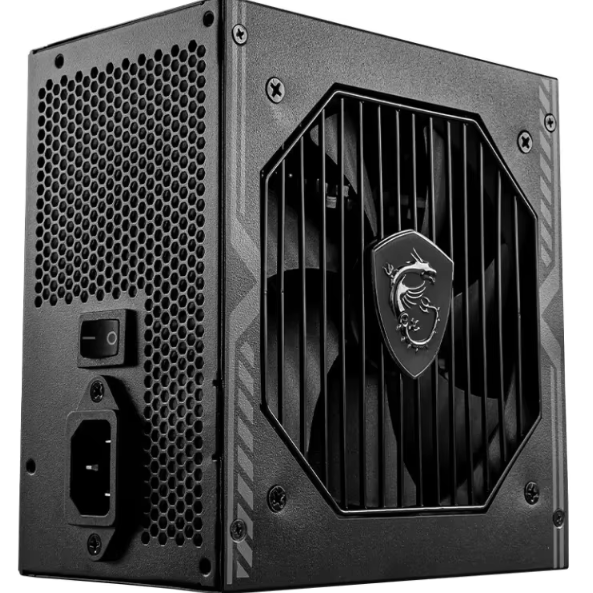
When building enterprise desktop systems, longevity matters much more than just getting them up and running initially. Good designs include modular components that make upgrades easier down the road. Look for machines with easy access to DIMM slots capable of handling up to 64GB of RAM, plus tool-free drive bays for installing either NVMe or SATA SSD storage options. Standardized power supplies are also worth considering since they allow for component replacements later on. Companies that provide five year lifecycle support typically cut replacement expenses around 40 percent compared to regular consumer grade equipment according to industry reports. From an IT budget standpoint, making small improvements such as adding extra memory before implementing a big ERP system change can keep hardware useful well past normal replacement schedules. Don't forget about thermal management either. Proper cooling ensures stable performance even when workloads grow heavier over time, which helps avoid those frustrating slowdowns caused by overheating components.
Security and Centralized Management: Essential Desktop Computer Capabilities for IT Control
Hardware-Based Security (TPM 2.0, Intel vPro®, Secure Boot)
Enterprise desktops today depend heavily on hardware based security measures to keep up with the ever growing number of cyber threats we face. Take TPM 2.0 for instance it works by encrypting important data right down at the chip level so if someone steals a device, they cant get anything useful from it unless they have the correct credentials. Then there's Intel's vPro technology which brings silicon level threat detection capabilities plus makes remote management possible. And don't forget about Secure Boot either this feature checks the integrity of firmware when the system starts up, stopping any unauthorized code from running before the operating system even boots. When combined, all these tech components create what many call a zero trust environment. The numbers back this up too. A recent study from Ponemon Institute in 2023 found companies using this kind of hardware first approach saw their successful breaches drop by around 76% compared to businesses sticking only to software solutions. Considering how expensive data breaches can be for enterprises averaging around $740k per incident according to the same research, investing in these physical security layers definitely makes financial sense as well.
| Security Feature | Core Function | Enterprise Impact |
|---|---|---|
| TPM 2.0 | Hardware-based encryption | Prevents offline data extraction from stolen devices |
| Intel vPro® | Hardware-assisted threat detection | Reduces malware infections by 68% |
| Secure Boot | Boot process integrity | Blocks 92% of rootkit attacks |
Unified Endpoint Management (UEM) Integration and Remote IT Administration
UEM changes how companies handle desktop management by shifting focus from fixing problems after they happen to preventing them before they occur. When organizations implement UEM solutions, their IT departments can install software updates, apply security rules, and adjust settings on all devices through one central interface instead of having to visit each computer individually. This saves time and reduces errors. Studies show that when tech support handles issues remotely, resolution times drop by about four fifths compared to traditional methods. Plus, automatic checks for regulatory compliance help keep everything in line with standards such as HIPAA and GDPR requirements. Companies that switch to UEM typically see around three quarters less work related to basic IT tasks every month. That means employees spend less time on mundane maintenance and more time working on creative projects and long term planning goals. For businesses where workers split their time between office spaces and home setups, centralized device management isn't just convenient anymore it has become essential for keeping operations running smoothly despite the challenges of distributed workforces.
Reliability, Durability, and Connectivity: Enterprise-Grade Desktop Computer Design Standards
Business desktop computers need to keep running without issues even when pushed hard all day long in factories, busy office spaces, or places where temperatures fluctuate constantly. Business class machines go through rigorous testing according to MIL-STD-810H standards which checks how they handle shocks, vibrations, and extreme heat or cold ranging from minus 5 degrees Celsius up to 55 degrees Celsius. The cases are sealed tight against dust and water with an IP52 rating so dirt doesn't get inside and damage parts over time. Solid state drives replace traditional spinning disks because they just don't fail mechanically like older hard drives tend to do. When it comes to connecting things up, these systems offer great options too. Thunderbolt 4 can drive two 4K monitors at once while transferring data at speeds reaching 40 gigabits per second. There are still USB-A ports around for those old devices that haven't been upgraded yet. And with Wi-Fi 6E plus 2.5Gb Ethernet connections, workers stay connected even when lots of people are using the network simultaneously. All this engineering makes a real difference in actual usage scenarios. According to recent reliability tests from 2023, these industrial strength desktops stay online about 98.7% of the time during their first five years of operation.
Operating System and Ecosystem Readiness: Windows 11 Pro for Seamless Enterprise Deployment
Group Policy, BitLocker, Azure AD, and Windows Autopilot Support
Windows 11 Pro isn't just another operating system - it's built as a comprehensive solution for businesses that need reliable platforms. The OS goes beyond running software by making security, management tasks, and large-scale deployments much easier to handle. With Group Policy, IT administrators can set rules for who gets access to what, configure systems consistently, and enforce compliance standards across all machines in the network. BitLocker comes standard too, encrypting everything on the hard drive so sensitive information stays protected even if someone steals the hardware. When paired with Azure Active Directory, organizations gain powerful cloud-based identity controls. Think things like conditional access restrictions, seamless single sign-on experiences, and policies tied directly to specific devices. Windows Autopilot takes the headache out of getting new computers up and running. It automatically sets up devices, applies necessary policies, and registers users right from the moment they power on their machine for the first time. All these features combined save companies around 40 percent of the time typically spent on manual setup processes while maintaining rock solid security measures throughout each device's life cycle.
Table of Contents
- Performance and Scalability: Matching Desktop Computer Power to Business Workloads
- Security and Centralized Management: Essential Desktop Computer Capabilities for IT Control
- Reliability, Durability, and Connectivity: Enterprise-Grade Desktop Computer Design Standards
- Operating System and Ecosystem Readiness: Windows 11 Pro for Seamless Enterprise Deployment