
 EN
EN


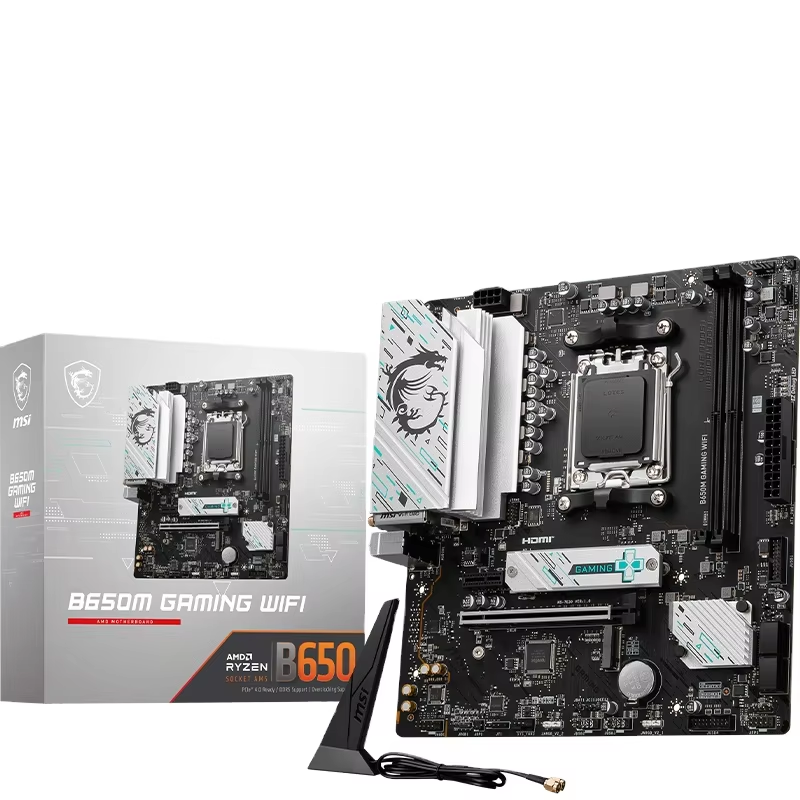
Navigating the Complexities of Motherboard and SSD Compatibility
Building a computer—whether for professional workstation tasks or general server infrastructure—often feels like a puzzle where individual components must be perfectly aligned. After years of testing various hardware configurations, it is evident that the motherboard is far more than a mounting board for components; it serves as the central processing hub for data lanes and signals. When integrating a high-speed Solid-State Drive (SSD), the motherboard dictates the operational ceiling for data throughput. Understanding this relationship is a fundamental requirement for ensuring system stability and achieving intended performance levels.
Deconstructing the Interface Standards
At the heart of compatibility discussions lies the distinction between storage protocols. While many users prioritize storage capacity, the performance delta resides in the interface. SATA SSDs utilize legacy data transfer standards, which remain relevant for specific configurations. However, the transition to NVMe M.2 drives has shifted requirements significantly. An M.2 slot on a motherboard might physically accept an NVMe module, yet the board’s chipset must specifically support the PCIe lanes required for NVMe communication. In professional settings, failing to verify this alignment leads to scenarios where hardware operates at legacy speeds, failing to utilize the bandwidth available in modern storage devices.
Decoding PCIe Generations and Lane Distribution
The technical depth of motherboard architecture is most apparent in PCIe lane management. An M.2 slot is frequently shared with other expansion ports or SATA connections. When an SSD is installed, the motherboard’s BIOS may adjust bandwidth distribution to accommodate the drive, which is a critical consideration for system integration. Furthermore, mismatching a PCIe 4.0 SSD with a PCIe 3.0 motherboard slot is technically feasible in terms of physical connectivity, but it limits the theoretical bandwidth to the lower generation’s specifications. Achieving peak throughput requires matching the SSD’s generation requirements precisely with the chipset capabilities of the motherboard.
Thermal Management and Physical Integrity
Operational performance is heavily influenced by thermal conditions. Modern NVMe drives operate at high speeds, generating thermal energy that requires effective management. A well-engineered motherboard often includes heat spreaders or thermal pads designed for M.2 slots. Without these components, the read/write performance of the drive may fluctuate under sustained workloads. Additionally, physical form factor constraints are essential to consider. While the "2280" form factor is an industry standard, motherboard standoff positions can vary. Paying attention to these physical details ensures that the hardware is installed securely, adhering to the standard spacing required for proper airflow within the chassis.
Hardware Integration and Ecosystem Stability
For those tasked with managing large-scale hardware deployments, compatibility extends beyond basic technical specifications; it involves evaluating how components integrate within an existing ecosystem. The global hardware market necessitates careful planning to ensure that motherboards, CPUs, and storage modules function as a harmonized system. RHK operates within this space by facilitating the distribution of essential computer hardware, providing the technical components necessary for system builds. By maintaining a focus on hardware alignment and verified specifications, RHK supports the needs of diverse hardware environments. Ensuring that each motherboard and storage module is selected with consideration for its architectural role is the cornerstone of building reliable computing systems.