
 EN
EN



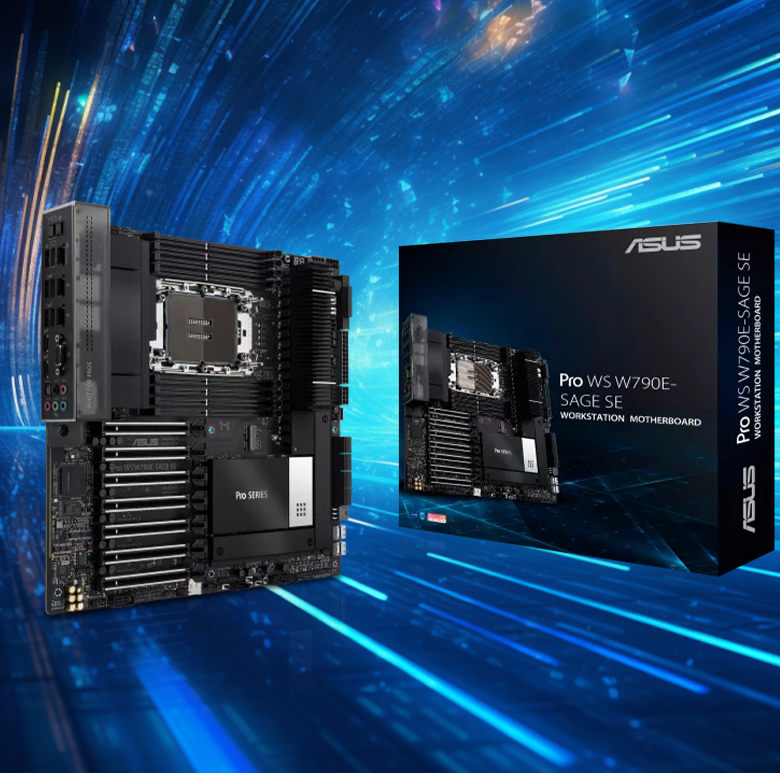
Understanding CPU Socket and Chipset Compatibility
Matching Motherboard Compatibility with CPU Socket Type
When choosing an enterprise motherboard, the first step is making sure the CPU fits properly into the socket on the board. Right now, Intel's LGA 1700 and AMD's AM5 are the main options for business-class systems, but they both need exact matches in terms of how they physically connect and electrically communicate. According to a recent industry report from 2023, nearly one quarter of all workstation breakdowns happened because someone installed the wrong combination of processor and motherboard. That's why checking whether components belong together across different generations remains so important for IT professionals building reliable computing environments.
Importance of Chipset Selection for Enterprise Workloads
The chipset governs critical functionality like PCIe lane allocation, memory support, and peripheral connectivity. For database servers, chipsets supporting PCIe 4.0/5.0 lanes enable faster NVMe storage arrays, while virtualization hosts benefit from robust memory channel architectures. Leading motherboard manufacturers now integrate dual-chipset designs to isolate compute and I/O subsystems.
CPU Socket Types and Their Alignment with Intel vs AMD Platforms
The latest Intel LGA 1700 socket can handle three different CPU generations, though getting the most out of newer chips usually means updating the BIOS first. On the other side of the coin, AMD's AM5 platform comes with a 1718-pin connector and promises backward compatibility with future Ryzen processors. For businesses thinking about hardware longevity, AMD's consistent socket strategy makes a lot of sense. Meanwhile many companies stuck with Intel tend to focus more on squeezing maximum performance from whatever generation they happen to be running at the moment, even if that means dealing with motherboard replacements down the road.
Trend Analysis: Increasing Divergence in Socket Longevity Between Intel and AMD
AMD kept the AM4 socket working across all five generations of Ryzen processors from 2017 right through 2022. Meanwhile, Intel went through four different socket changes during exactly the same timeframe. The difference between these approaches actually affects total cost of ownership. A recent chipset analysis found that companies sticking with AMD hardware spend about 18 percent less on replacing equipment when needed. And now we see Intel continuing their pattern with the new LGA 1851 socket coming out soon, which means IT managers will need brand new motherboards just to upgrade to the latest Xeon chips for scalable computing solutions.
Evaluating RAM and Memory Subsystem Compatibility
RAM Type, Speed, and Motherboard Support for Enterprise Stability
Getting enterprise PC builds right means making sure the RAM specs actually work with what the motherboard can handle. Most modern server boards these days will take either DDR4-3200 or those newer DDR5-4800+ sticks. The max memory capacity varies quite a bit though, anywhere from 128 gigabytes all the way up to 2 terabytes depending on which platform we're talking about. Some interesting numbers came out of an enterprise hardware report last year showing that almost half (around 42%) of performance issues were caused by RAM and CPU not playing nicely together. That's why it pays to get these components working in harmony. For companies putting together their systems, going with JEDEC certified RAM makes sense most of the time. And don't forget to run those compatibility checkers against the Qualified Vendor Lists before rolling anything out into production environments.
ECC Memory Support and Its Critical Role in Data Integrity
For companies dealing with sensitive information, ECC RAM isn't just recommended it's practically essential. The difference between regular consumer memory and ECC modules is night and day when it comes to handling those pesky bit-flip errors on the fly. Real world tests in banking systems have actually cut down serious data corruption problems by around 85%, according to last year's Data Center Hardware Report. Anyone shopping for motherboards should double check if they support ECC at the chipset level first. A lot of consumer boards simply don't include this kind of built-in error correction, which can leave critical systems vulnerable without anyone even realizing it.
Optimizing DIMM Configuration for Maximum Bandwidth and Reliability
Getting DIMM installation right makes a big difference for both memory speed and system reliability. On dual channel boards, matching RAM sticks in those symmetric slots (usually A2 and B2) is important for optimal performance. Real world testing from enterprise environments shows that when DIMMs don't match up properly, memory performance drops around 30% during heavy workloads according to ServerBench studies last year. For servers handling critical operations, locking memory channels together in lockstep mode whenever possible helps maintain data accuracy since the redundant channels check each other's work behind the scenes. This extra layer of verification can prevent subtle errors that might otherwise go unnoticed until they cause bigger problems down the line.
Planning DDR4-to-DDR5 Transition for Future Upgradeability
DDR5 has made decent headway in enterprise workstations, hitting around 22% market share by third quarter 2023 according to JEDEC reports. Fortunately, many motherboard manufacturers have started offering hybrid solutions that let companies transition gradually from old to new tech. Some boards actually support both DDR4 and DDR5 at the same time across different memory channels, so businesses can keep running their DDR4-3200 sticks alongside newer DDR5-5600 modules while they phase out older hardware. The catch? Not all BIOS versions handle this mixing well. A few manufacturers still impose speed limitations when combining different memory types, essentially forcing systems to run at the slower module's pace until firmware gets updated.
Intel vs AMD: Platform Selection for Long-Term Deployment
Chipset Ecosystem Comparison: Scalability and Vendor Lock-in Risks
Looking at enterprise motherboard options, the Intel LGA 1851 socket has about 64 percent less support time than AMD's AM5 platform according to historical chipset data from Enterprise Strategy Group back in 2023. Intel usually keeps things compatible for around two to three generations, but AMD's experience with AM4 sockets lasting through five different CPU generations shows they manage vendor lock-in issues much better. Some recent tests show that AMD actually gives out 83% more PCIe lanes when using dual socket setups compared to what Intel offers. This makes a real difference for companies needing to scale up their NVMe storage systems or add accelerator cards down the road.
Total Cost of Ownership (TCO): Intel vs AMD in Enterprise Environments
AMD processors tend to cost more initially, but they last longer on average which actually brings down total cost over time. According to some recent research from the Data Center Infrastructure folks in 2024, systems built around AMD hardware ended up costing about 22 percent less over five years because there were fewer times when motherboards needed replacing and upgrades could be done more easily. Intel still holds certain advantages though. Their ecosystem works better with ECC memory that's certified for most enterprise stuff - something like 98% versus AMD's 91%. Plus Intel parts generally play nicer with different cooling solutions too, so these factors do balance out some of what AMD gains in other areas.
BIOS Compatibility and CPU Upgrade Paths on Legacy Motherboards
Just 37 percent of Intel Z690 chipset motherboards actually work with 14th generation Core processors unless some hardware changes are made. Meanwhile, around 72% of AMD X570 boards can handle Ryzen 7000 series CPUs after getting a simple BIOS update according to the AnandTech Firmware Survey from last year. For companies looking to integrate older systems, checking how UEFI firmware gets updated matters a lot. Most AMD workstation boards come with automatic patching through Redfish API these days, about 92% if we're being exact. Intel lags behind here with only about two thirds offering similar functionality on their equivalent boards.
Expansion and Storage: PCIe, M.2, and SATA Capabilities
PCIe Lane Allocation for Multi-GPU, NVMe, and Accelerator Cards
Enterprise motherboards these days need smart PCIe lane management if they're going to handle all those power hungry components properly. When building systems with multiple GPUs, big NVMe storage setups, plus AI accelerators, look for motherboards featuring PCIe 5.0 x16 slots first. These slots can push around 128 GB/s in both directions, so data moves back and forth between graphics cards and fast storage without getting stuck somewhere along the line. Many top tier boards actually split those x16 slots into two x8 lanes instead. This lets users plug in extra expansion cards while keeping each lane running at about 63 GB/s according to industry standards from PCI-SIG back in 2023. Pretty impressive stuff when you think about it.
M.2 Connector Compatibility With High-Speed NVMe SSDs
PCIE 4.0 compatible M.2 slots can achieve sequential read speeds over 7,000 MB/s according to ScienceDirect research, which makes these components absolutely critical for handling real time analytics tasks. When looking at motherboard design, thermal considerations are important too. Most NVMe performance issues actually come down to heat problems, with StorageReview reporting that around 8 out of 10 throttling events happen because the drives get too hot. That's why many experts recommend choosing motherboards that feature vertical M.2 mounting configurations within rack optimized cases. This setup helps create better airflow circulation around the SSD controller area, preventing overheating issues that could otherwise degrade performance.
SATA Interface Relevance in Modern Enterprise Motherboard Designs
As more organizations adopt NVMe technology, SATA continues to play an important role in older HDD setups and budget conscious SSD implementations. Most modern data center motherboards come equipped with around 6 to 8 SATA III ports running at 6 gigabits per second speeds, which allows for mixed storage configurations. According to recent industry research from Enterprise Storage Forum in 2023, about one third of companies are still relying on SATA SSDs specifically for storing infrequently accessed data. When planning storage upgrades, it makes sense to look for motherboards that include RAID compatible SATA controllers. This helps ensure smooth operation alongside existing equipment while transitioning to newer NVMe solutions over time. The gradual shift means businesses don't have to replace everything all at once.