
 EN
EN



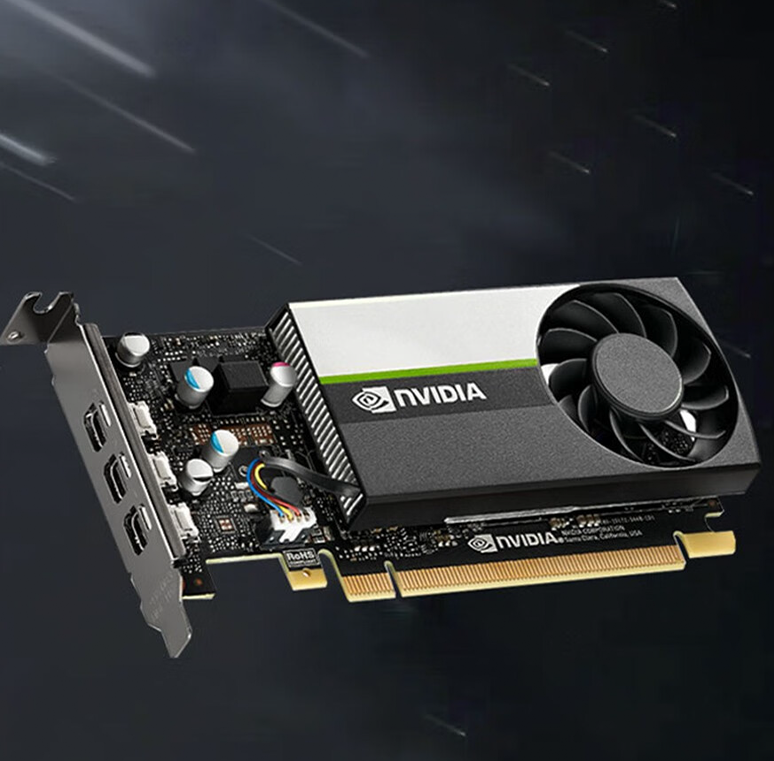
Understanding GPU Performance in Professional Design Workflows
How GPU Architecture Impacts Rendering, Modeling, and AI-Assisted Design
For enterprise design work these days, companies need graphics cards that can handle both parallel processing tasks and those special computing jobs that regular consumer grade hardware just cant manage. The professional level GPU setups really speed things up when it comes to rendering stuff, sometimes three times faster than what most consumers would get. This makes a big difference particularly when working on super realistic images or doing those fancy AI based style changes that are all the rage now. Most people find that at least 8 gigabytes of video memory works for simple 3D models, though if someone wants to tackle complicated projects in software like Maya or Blender, they should probably go for 16 gigs or even more according to what industry pros have been saying lately. Things such as mesh shading technology and built in ray tracing support let designers see massive polygon counts right away while still keeping all the fine details intact during the creative process.
The Role of Tensor Cores, CUDA, and Compute Units in Accelerating Creative Tasks
Dedicated AI processors reduce neural rendering times by 40% while preserving color accuracy, as shown in recent computational design research (Lenovo 2024). Key components include:
- Tensor Cores: Speed up AI denoising in 8K video timelines
- CUDA Cores: Enhance physics simulations for product stress testing
- Unified Memory: Facilitate seamless data transfer between VRAM and system RAM during multi-app workflows
These elements collectively improve responsiveness and throughput in professional creative pipelines.
Matching GPU Power to Workload Complexity: From 3D Animation to 8K Video Editing
Enterprises should align GPU specifications with workload demands:
| Workload Type | Recommended GPU Specs |
|---|---|
| 3D Concept Modeling | 12GB VRAM, 24 TFLOPS FP32 |
| 8K Video Compositing | 16GB+ VRAM, AV1 encoding support |
| AI-Driven Generative Design | 48+ Tensor Cores, 600+ TOPS AI performance |
For hybrid teams, PCIe 4.0 x16 interfaces reduce latency by 22% when sharing assets between local workstations and cloud rendering nodes, improving collaboration efficiency.
AI Acceleration and Future-Ready Workflows in Design Departments
How AI Cores Enable Generative Design and Real-Time Style Transfer
Enterprise GPUs with dedicated AI cores can cut down on product design cycles quite a bit actually about 37 percent according to Tech Design Review in 2024. What these special processors do is enable something called real time generative design. Basically engineers feed them information about things like how heavy the part needs to be or what kind of strength requirements there are, and then boom they get all sorts of different mechanical options right away. Take this one example from industry back in 2024 when companies were working on car interiors. They used AI for style transfers which basically means taking existing designs and making them fit new models. Instead of spending three whole weeks going through multiple versions, they managed to finish everything in around 72 hours flat. The system would automatically adjust textures and make sure everything fits comfortably for drivers and passengers alike.
Key enhancements include:
- Neural rendering acceleration: AI cores cut 4K rendering times by 2.8x in applications like Keyshot
- Physical simulation: Machine learning predicts airflow and thermal behavior 22% faster than manual methods
- Quality control: Real-time defect detection during 3D visualization achieves less than 3% false-positive rate
This integration of AI streamlines innovation while maintaining precision.
Consumer vs. Enterprise Graphics Cards in AI-Driven Creative Applications
While consumer GPUs can run basic AI tasks, enterprise models offer critical advantages for professional use:
| Feature | Consumer GPUs | Enterprise GPUs |
|---|---|---|
| AI workload stability | 63% crash rate under 8hr loads | 99.9% uptime certification |
| Multi-user scaling | 3–5 concurrent sessions | 20+ virtualized workstations |
| Software validation | Community drivers | Autodesk/Maya certified |
Models like the NVIDIA RTX A6000 Ada deliver 1.9x faster inference in Autodesk AI workflows, particularly with 8K texture synthesis. ECC memory and virtualization support ensure data integrity and reliable collaboration on AI-enhanced prototypes—features absent in consumer hardware.
Enterprise Deployment Scenarios for Maximum Efficiency
Multi-GPU Rendering Farms for High-Density 3D Production
When it comes to rendering complex 3D animations or product visualizations, multi-GPU setups can cut down render times anywhere between 65% to maybe even 80% compared to what we get with just one graphics card. Most people find that putting together a system with around four to eight GPUs per machine works pretty well, and these kinds of GPU farms tend to handle scaling quite nicely all the way up to 96 compute units if needed. But there's something important to remember here. Getting good results really hinges on finding the right balance between having enough VRAM memory space (typically looking at least 32 gigabytes per card) while also making sure the PCIe connections aren't holding things back. Otherwise, when working on those heavy texture projects like architectural renders, performance will suffer because of bottlenecks forming somewhere along the line.
Virtualized Workstations Using Cloud-Based GPU Infrastructure
Remote access to high end workstation performance has become possible thanks to cloud based GPU virtualization, something really important these days since almost three quarters of design teams have remote workers on board. A recent look at manufacturing efficiency in 2023 showed some pretty impressive results when companies moved to cloud GPUs. They saw about a 40 percent drop in downtime related to hardware issues, all while keeping their computing power at around 99.6%. For businesses looking to grow, this tech lets them adjust resources as needed. Start with just four NVIDIA A100 equivalent units for regular CAD tasks, then ramp up to massive 16 GPU setups when working on those intense 8K compositing projects in real time. No more worrying about what physical equipment they have sitting in their server rooms anymore.
Key Selection Criteria for Enterprise Graphics Cards
Evaluating VRAM and Compute Cores for 4K/8K and Complex 3D Workloads
When working with high resolution stuff, it makes sense to go for graphics cards that have around 24GB of GDDR6 VRAM if possible. This helps manage those huge 8K files without constantly swapping textures back and forth which can really slow things down. The thing is, professional rendering actually needs about 1.6 times more memory bandwidth compared to what games typically require. As far as compute cores go, they need to be matched to how complex the scenes are getting these days. Most experts would suggest looking at something with over 12,000 CUDA cores or at least 384 stream processors when doing those ultra realistic simulations. Some of the newer top end GPUs come equipped with special hardware just for handling geometry processing tasks. This has been shown to cut down render times by roughly a third according to tests run on Autodesk Arnold software.
Power, Cooling, and Thermal Management in Dense Office Environments
High-end single-GPU workstations can draw up to 320W under load—equivalent to cooling five office PCs (Gartner 2023). For multi-GPU deployments, prioritize blower-style cards with 80%+ thermal efficiency. NVIDIA’s RTX 6000 Ada reduces power consumption by 28% over previous generations through adaptive voltage scaling, a key advantage for 24/7 rendering nodes.
Support for Virtualization and Remote Collaboration in Hybrid Teams
Seventy-four percent of enterprises use GPU virtualization for remote design workflows (Flexera 2023 State of Cloud Report). Choose models with SR-IOV and vGPU slicing—AMD’s Radeon Pro V620 supports eight concurrent virtual workstations at 65% native performance. Intel’s Flex Series provides strong driver optimization for hybrid cloud rendering pipelines.
Total Cost of Ownership: Balancing Upfront Investment and Long-Term Productivity
Enterprise grade GPUs definitely come with a higher price tag right out of the box, about 2.5 times what consumer models cost. But when looking at total costs over four years, they actually end up being 18% cheaper because those certified drivers just work so much better and stop all those annoying workflow interruptions. A recent Forrester study from 2024 showed something pretty interesting too. When using Quadro cards instead of regular GeForce ones, companies saw their need for expanding render farms drop by around 43% thanks to how efficiently those cards handle VRAM. And let's not forget about energy savings either. According to research from Ponemon Institute back in 2023, implementing smart scheduling practices saves businesses roughly $740 per kilowatt each year. These kinds of savings really stack up over time, making the initial investment worth it for most organizations.