
 EN
EN



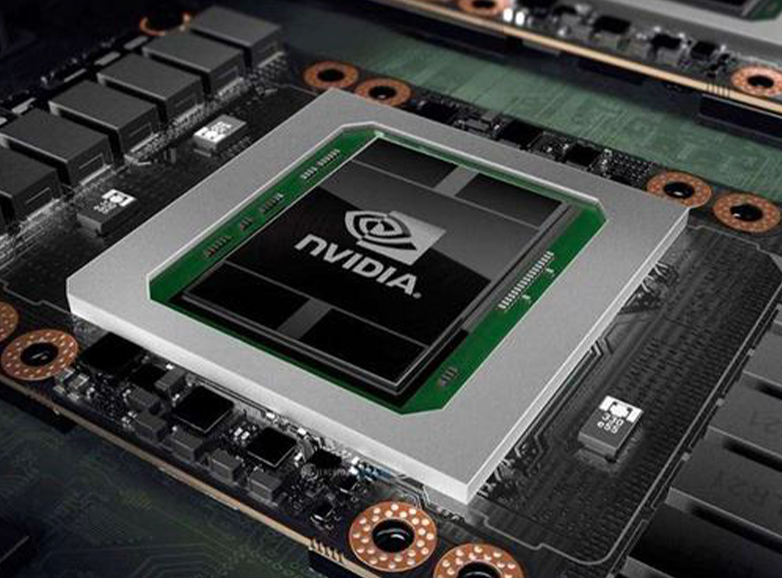
Match Your Professional Workload to Graphics Card Capabilities
Creative & Design Tasks: Blender, Adobe Suite, and Real-Time Video Editing
Graphic artists, animators, and other creative types really benefit from graphics cards designed for handling multiple tasks at once and quick rendering. Take Blender for instance it makes great use of GPU power, particularly those fancy RT cores, when doing ray tracing work. This can shave off a lot of time compared to just using CPUs alone, though actual savings vary depending on the project. The Adobe Creative Cloud suite including Photoshop, Premiere Pro, and After Effects all depend heavily on GPU capabilities too. These programs use the graphics card for smart AI tools like Content-Aware Fill, complicated filters, and keeping things running smoothly even when working with ultra high resolution footage. When editing videos in real time, look for cards that have special encoding hardware (like NVENC from NVIDIA or AMD's VCE technology) along with around 12GB of VRAM memory space. This setup helps prevent those annoying frame drops that happen during intense editing sessions with multiple layers of 4K content.
| Task Type | Critical GPU Features | Performance Impact |
|---|---|---|
| 3D Rendering (Blender) | RT cores, VRAM bandwidth | 5–8× faster ray tracing |
| Video Editing | Hardware encoders, VRAM capacity | Zero dropped frames at 4K |
| Photo Manipulation | CUDA/Tensor cores | Near-instant AI filter application |
Engineering & CAD/CAM Workloads: AutoCAD, SolidWorks, and Fusion 360
When it comes to engineering work, getting things right means having precision, stable performance, and proper certification for compatibility. That's why workstation grade GPUs matter so much for serious CAD work. Programs like AutoCAD and SolidWorks really rely on OpenGL acceleration. The difference is noticeable too - models rotate smoothly with ISV certified drivers instead of stuttering around as they do with regular gaming graphics cards. Take Fusion 360 for example. Its simulation features actually need ECC memory to keep calculations accurate when running through complex thermal or structural analyses. And if someone is working on big projects with thousands of parts? Let's say over 10,000 components in an assembly. Then going for at least 16GB VRAM becomes important, along with checking that the card has passed official ISV validation tests. Otherwise long design sessions can turn into frustrating experiences with unexpected crashes or errors.
Evaluate Critical Graphics Card Specifications for Professional Use
VRAM Capacity (12GB+), Memory Bandwidth, and ECC Support
For serious professional work, VRAM capacity, bandwidth, and memory reliability form the backbone of system performance. Most professionals need at least 12GB VRAM to avoid getting stuck when working on those demanding 8K video projects or dealing with huge CAD models that take forever to load. When it comes to memory bandwidth, anything above 600 GB/s makes a world of difference for tasks requiring fast data movement during rendering sessions or complex simulations. Speaking of reliability, Error Correcting Code (ECC) memory isn't just nice to have for scientists and engineers it's absolutely essential. Without ECC, tiny data errors can creep into calculations unnoticed, which might throw off entire simulations. The numbers back this up too Digital Engineering reported last year that workstations with ECC memory saw an incredible drop in calculation mistakes 99.7% fewer issues specifically in finite element analysis tests.
CUDA Cores, Tensor Cores, and Architecture Generation (e.g., Ada Lovelace, RDNA 3)
The number of cores and overall architecture basically determines how much work a system can handle at once, plus what kind of special features it brings to the table. When there are more CUDA cores or stream processors available, they really speed things up for those intensive computing jobs we all know and love, stuff like rendering graphics or running simulations. Meanwhile, Tensor cores have become pretty important too, especially when dealing with AI stuff. They help out with tasks like cleaning up noisy images, scaling content up without losing quality, and doing local processing right on the device itself. Looking at the latest tech from companies like NVIDIA with their new Ada Lovelace architecture and AMD's RDNA 3 platform, we're seeing improvements around 35-40% better efficiency in terms of performance per watt consumed. These newer chips also come with built-in support for hardware accelerated ray tracing which changes everything for certain applications. According to recent testing results from Workstation Insights last year, engineers using these updated systems finished complicated simulation projects roughly half as fast compared to older models. That kind of jump makes a huge difference for anyone trying to keep ahead of growing demands in their workflow pipelines going forward.
Workstation vs. Gaming Graphics Cards: Why Certification Matters
NVIDIA RTX A-Series and AMD Radeon PRO: Optimized Drivers and ISV Certifications
Professional grade GPUs such as NVIDIA's RTX A Series and AMD's Radeon PRO line aren't really about pushing frame rates to the max. Instead these workhorses are built for dependable performance day after day. The manufacturers put them through their paces with Independent Software Vendor certifications to ensure they play nice with critical software like AutoCAD, SOLIDWORKS, and Adobe products that engineers and designers rely on every single day. What does this mean in reality? These certified graphics cards cut down on application errors by around 72% compared to regular consumer cards when running complex engineering tasks (according to the Workstation Reliability Report from last year). Another key difference is ECC memory which most consumer cards don't have at all. This feature helps protect against data corruption during intensive calculations needed for things like financial modeling or scientific research. Unlike gaming cards that shine in short bursts, workstation GPUs maintain steady performance even when pushed hard for extended periods. This makes all the difference for professionals doing things like finite element analysis, photogrammetry projects, or editing 4K video content where reliability matters more than peak performance spikes.
| Feature | Workstation Graphics Card | Gaming Graphics Card |
|---|---|---|
| Driver Optimization | ISV-certified for stability | Game-focused, less stable |
| Memory Integrity | ECC support | Non-ECC standard |
| Long-Run Reliability | Validated for 24/7 workloads | Consumer-grade cooling |
| Professional Software | Guaranteed compatibility | Uncertified performance |
Specialized Graphics Card Selection for AI, Simulation, and Real-Time Rendering
AI Development & Local Inference: Stable Diffusion, LLMs, and Training on Desktop GPUs
Developing AI systems involves everything from tweaking diffusion models to getting local LLMs to run properly, and this generally needs good memory space plus some serious hardware power. For basic stuff, around 12GB of VRAM works okay for simple inference tasks. But when dealing with those massive billion parameter models such as Stable Diffusion or Llama 3, most people find they need between 18 and 24GB just to make things work smoothly. The special Tensor cores from NVIDIA or Matrix Cores from AMD really speed up those complicated math operations during training, making the whole process about 30 to 40 percent faster compared to older hardware according to TechBench in 2024. Anyone planning long term training sessions should definitely consider ECC memory because it helps stop those annoying silent weight corruptions that can ruin days of work. Also important is checking framework compatibility – CUDA if using NVIDIA gear, ROCm for AMD setups, whatever fits with the tools already in place.
Scientific Computing, Medical Imaging, and Physics-Based Simulation Tools
The success of scientific computing depends heavily on both numerical accuracy and continuous processing power. When it comes to double-precision calculations (FP64), workstation grade GPUs typically deliver 2 to 3 times better performance than their gaming counterparts. This makes all the difference in complex fields like fluid dynamics research, quantum chemistry modeling, and running Monte Carlo simulations where tiny decimal places matter. Medical imaging presents another challenge altogether. Real time 3D volume reconstructions need memory bandwidth above 512 GB/s just to keep up with interactive tasks such as slice navigation or tissue segmentation without lagging. Software packages including ANSYS and COMSOL have specific requirements too. They depend on drivers certified by independent software vendors to maintain consistent results across different hardware setups. According to a study published in the Journal of Computational Physics last year, this certification process cuts down simulation discrepancies by around 27% in tested scenarios. For researchers dealing with massive datasets in areas like particle accelerator analysis or global climate models, PCIe 5.0 technology becomes essential. It allows much quicker movement of data between graphics processors and main memory systems, which is absolutely necessary when handling simulation outputs measured in terabytes rather than gigabytes.