
 EN
EN



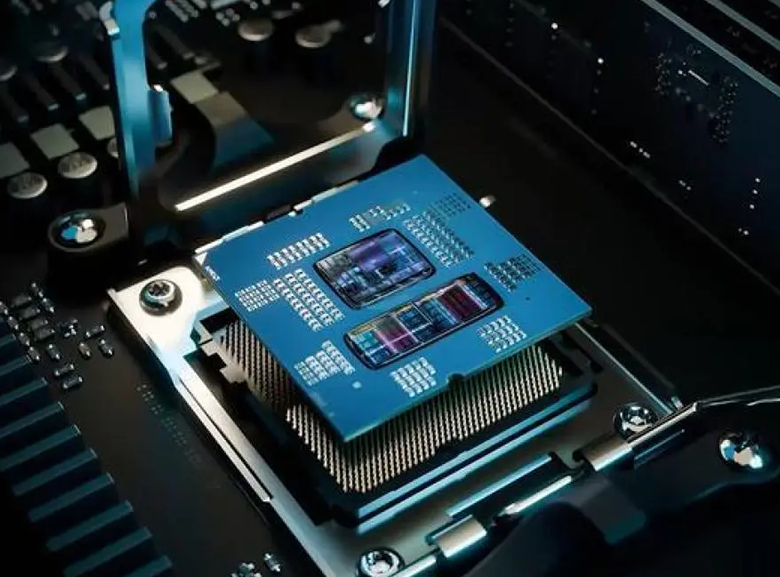
Core CPU Metrics That Matter for B2B Workloads
Clock Speed, Core Count, and Thread Count: Decoding Real-World Impact
The clock speed of a processor, measured in gigahertz, basically tells us how fast it can handle individual instructions. This matters a lot for things that run on single threads, such as complex financial models or ERP systems handling transactions. When we talk about cores, we're referring to actual processing units inside the chip. Threads are different though they represent virtual paths created through tech like Intel's Hyper-Threading or AMD's Simultaneous Multithreading. Businesses dealing with multiple users accessing databases at once, or running several ERP modules simultaneously, need processors with plenty of both cores and threads to avoid getting stuck waiting for processing power. Quad core chips might get the job done for basic office software, but nowadays most companies find themselves needing at least eight cores just to keep operations running smoothly when everyone is working at full capacity.
Cache Size, Memory Bandwidth, and I/O Throughput in Enterprise Applications
The L3 cache found in most enterprise CPUs ranges anywhere from around 16MB all the way up to 64MB. This acts like fast on-chip memory where the processor keeps track of commonly used instructions and data that gets accessed regularly. When it comes to transactional databases, having a well-tuned L3 cache makes a big difference. Some studies show it can cut down on RAM accesses by somewhere in the neighborhood of 30-35 percent, which means lower latency overall. The memory bandwidth metric, measured in gigabytes per second, basically tells us how quickly data flows between the CPU and main memory. Real time analytics workloads and those massive virtualization environments need consistent bandwidth above 100 GB/s just to keep up. Looking at I/O throughput now, this depends heavily on factors like how many PCIe lanes are available and what version they're running. For things like NVMe storage devices, 10 or 25 GbE network connections, and GPU communications, proper I/O matters a lot. Edge computing scenarios often run into problems when there isn't enough bandwidth to handle all that sensor data coming in at high frequencies, especially when doing AI inference right at the network's edge.
CPU Tier Comparison: From Entry-Level to Enterprise-Grade CPUs
Picking the right CPU level means matching what the hardware can do with how intense the workloads will be and what operations actually need. Entry level CPUs with scores under 2000 handle things like basic office software or simple data recording tasks pretty well, but they start struggling when multiple processes happen at once or when there's continuous demand on them. Mid range models scoring between 2000 and 6000 strike a good balance for most business applications these days. They work great for things like multi module enterprise resource planning systems, network monitoring screens, and even some basic graphics work, delivering solid performance across multiple threads without breaking the bank. At the top end, enterprise grade CPUs with scores above 6000 are built specifically for critical systems where failure isn't an option. Think real time industrial control systems, complex 3D modeling simulations, or high speed financial analysis platforms. These chips focus on staying cool under pressure, come with ECC memory protection against errors, and often have longer support lifecycles so businesses can rely on them running smoothly around the clock. When planning infrastructure, it makes sense to build in scalability from day one. This way, as computing needs grow over time, companies avoid having to rip out and replace entire systems halfway through their useful life.
Matching CPU Architecture to Common B2B Workload Types
CPU-Bound Tasks: ERP, Database Processing, and Financial Modeling
The performance of ERP platforms, relational databases, and financial modeling tools all comes down to how efficiently they can process data. ERP systems handle complicated step-by-step tasks across different business areas like accounting, inventory management, and employee records. Faster processors really help here because things like checking invoices or generating reports need to run smoothly one at a time. For databases dealing with massive amounts of information, having more processor cores makes a big difference. When running multiple queries at once or handling many user requests, extra cores just work better. Financial analysts love multi-core setups too, especially for those Monte Carlo simulations that look at hundreds of possible outcomes at the same time. The size of the L3 cache matters a lot too. According to DataCenter Journal last year, bumping up L3 cache by 10% cut down database response times by around 15%. And let's not forget about keeping components cool enough so they don't slow down during intense computing sessions.
Hybrid and I/O-Intensive Workloads: Virtualization, Container Orchestration, and Edge Compute
When it comes to virtualized and containerized environments, getting compute, memory, and input/output systems to work together seamlessly is absolutely essential. For hypervisors to function properly, they need plenty of processing threads so virtual machines can be allocated efficiently, plus enough memory bandwidth to handle those live migrations and situations where memory gets overcommitted. Container orchestration tools like Kubernetes rely heavily on processor cores that can scale microservices quickly while also needing access to PCIe lanes for fast network traffic handling and storage operations. Things get even trickier at the edge computing level. Retail stores and factories running local AI inference have to deal with sensor data that needs immediate processing, all while working within limited bandwidth constraints. That's why modern processors with built-in AI acceleration features from companies like Intel with their AMX technology or AMD's XDNA are becoming so important. These chips along with full support for 64 lanes of PCIe 5.0 really make a difference when trying to eliminate performance bottlenecks across distributed systems where every millisecond counts.
Future-Proofing Your CPU Investment: Scalability, Security, and AI Readiness
Hardware-Based Security Features (e.g., Intel SGX, AMD SEV) for Compliance-Critical Environments
Trusted Execution Environments or TEEs for short, like Intel's SGX and AMD's SEV technology, create secure areas within computer memory where sensitive information stays protected while being processed. These aren't just regular encryption methods we see in software alone. What makes them special is how they stop bad actors from stealing data through memory scraping techniques, messing with virtual machines at the hypervisor level, or getting past even the most privileged parts of the operating system. For businesses dealing with customer data, this kind of protection isn't optional anymore. The GDPR rules in Europe, HIPAA requirements for medical records, and PCI standards for credit card info all demand these kinds of protections. We've seen cases where companies got hit with fines over seven hundred forty thousand dollars after data leaks (Ponemon Institute reported this back in 2023). When companies build security directly into their hardware chips rather than relying solely on software solutions, they actually make themselves safer against attacks, save time when auditors come knocking, and still get good performance without sacrificing speed when handling large volumes of work.
AI Acceleration Support: When Integrated CPU Capabilities Suffice vs. When Dedicated Accelerators Are Needed
Modern enterprise CPUs come packed with special instruction sets like AVX-512 from Intel, their own AMX technology, and AMD's VNNI, plus built-in neural processing units that speed up AI inference operations. These features work pretty well for handling lighter to mid-level AI jobs such as spotting fraud in real time, calculating scores for predictive maintenance, or making forecasts about structured supply chains. They can deliver around 100 TOPS performance without needing any extra hardware. But when it comes to really heavy computing tasks, things change. Training big language models, analyzing raw video footage, or sequencing entire genomes still needs powerful GPUs or TPUs. When choosing between options, several factors stand out as particularly important:
| Workload Characteristic | CPU-Sufficient Scenario | Accelerator-Necessary Scenario |
|---|---|---|
| Operations Scale | <50K inferences/sec | >500K inferences/sec |
| Data Complexity | Structured datasets | Unstructured multimedia |
| Latency Tolerance | >10ms response | Sub-millisecond response |
For edge deployments, CPUs with integrated AI acceleration offer power-efficient, low-latency inference without added hardware complexity. In centralized data centers, dedicated accelerators remain essential for training, large-batch inference, and heterogeneous AI pipelines.