
 EN
EN



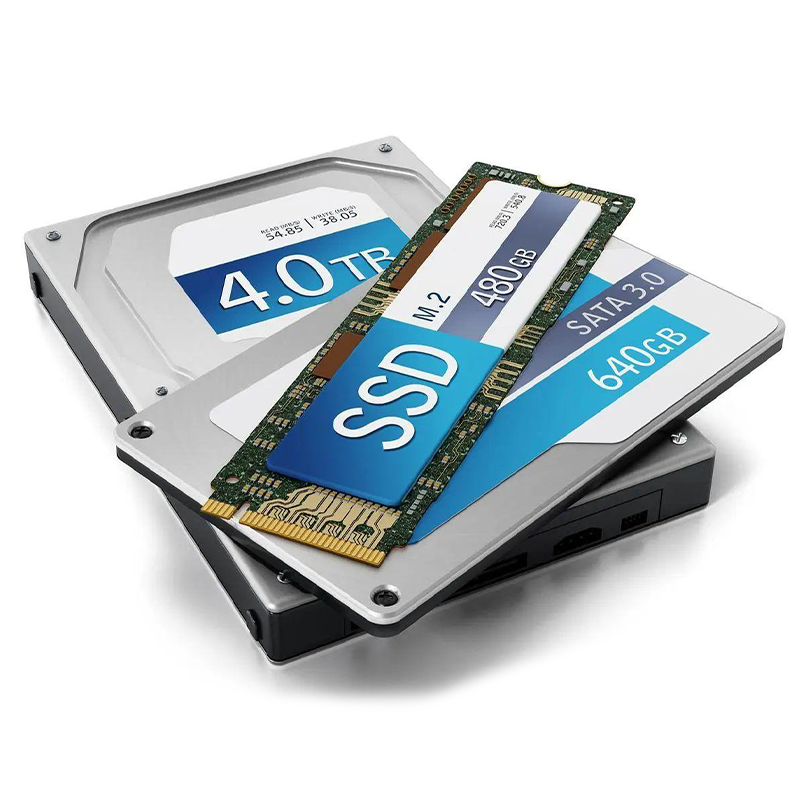
Understanding SSD Speed: Components and Technologies That Drive Performance
What Is an SSD and How Does It Enable Faster Computing?
Solid state drives, or SSDs for short, store information using something called NAND flash memory instead of having all those moving bits and pieces inside regular hard drives. The big difference here is speed. Most SSDs can grab data almost instantly compared to traditional HDDs which might be 50 to even 100 times slower because they rely on spinning disks and little arms that move around. Since there's no actual hardware wearing down over time, these drives last longer too. They eat up less electricity while running and generally work better when things matter most. That's why so many people upgrade their computers at home and businesses install them in their server rooms where fast response times really count during busy periods.
Key Factors Influencing SSD Speed: NAND Type, Controller, and Cache
Three core components determine SSD performance:
- NAND Flash Type: Multi-Level Cell (MLC) and Triple-Level Cell (TLC) NAND balance cost and endurance, while 3D-stacked architectures like 3D V-NAND improve density, speed, and longevity by stacking memory cells vertically.
- Controller: Acts as the SSD's brain, managing data placement, wear leveling, error correction, and garbage collection to optimize efficiency and lifespan. High-performance controllers reduce latency and boost throughput under heavy workloads.
- DRAM Cache: Stores frequently accessed mapping tables and data, significantly reducing access times during system boot and application loading. Drives with DRAM cache can achieve random read speeds exceeding 750,000 IOPS—orders of magnitude faster than HDDs' typical 100–200 IOPS.
Interface and Form Factor: SATA vs NVMe vs M.2 and Their Performance Impact
The interface and physical design of an SSD directly influence its maximum performance:
| Interface | Max Sequential Read Speed | Use Case |
|---|---|---|
| SATA III | 560 MB/s | Budget builds, legacy systems |
| NVMe PCIe Gen4 | 7,000 MB/s | Gaming, content creation |
| NVMe PCIe Gen5 | 14,000 MB/s | Data centers, AI/ML workloads |
NVMe SSDs use PCIe lanes instead of SATA connections, which means they don't hit those annoying bandwidth limits that slow down traditional drives. This gives them much better speed and response time. Most people know M.2 slots from their laptops, right? Well these slots work with both SATA and NVMe standards, though folks usually think of them for small, super fast NVMe drives. Take a top shelf PCIe 5.0 NVMe SSD for instance. It can move a big 20 GB video file across in just about 2 seconds flat. That's roughly 17 times quicker than what an average hard drive would manage, and over double the speed of even the fastest SATA SSD on the market today.
SSD vs HDD: Measuring Real-World Speed and System Responsiveness Differences
Read/Write Speed Benchmarks: SSDs Outperform Traditional HDDs
SSDs today can reach sequential read speeds of around 560 MB/s for SATA models and way beyond 7,000 MB/s for those using NVMe technology. That's light years ahead of traditional 7,200 RPM HDDs which max out at about 80 to 160 MB/s. When we look at servers specifically, the difference becomes staggering. According to the Storage Performance Report from 2023, SSDs handle database queries approximately 100 times quicker than their HDD counterparts. Regular computer users also notice these improvements daily. Searching through files takes seconds instead of minutes, switching between programs feels almost instant, and applications load much faster before they even start doing anything useful. The speed difference really adds up over time for anyone who spends hours working on their machine.
File Transfer Efficiency and Sequential Access Performance
Moving around a big 50GB video file happens much faster when using an SSD drive. We're talking under two minutes versus eight plus minutes if relying on traditional HDD storage solutions. The difference becomes even clearer when dealing with continuous data transfers. Solid state drives keep performing pretty consistently throughout these operations, hitting nearly all of their maximum speed potential most of the time. Hard disk drives tell a different story though. Their performance tends to tank quite a bit during extended write sessions, sometimes falling below 60% of what they promise because of all those moving parts inside them plus issues with file fragmentation over time. For companies running regular backups across multiple servers, switching to SSD technology makes a real impact. Network Attached Storage (NAS) sync times get slashed by about half, which means IT departments spend less time waiting for files to copy and more time actually working on other important tasks that keep business operations running smoothly day after day.
Random Access, Latency, and IOPS: Why SSDs Excel in Active Workloads
Solid State Drives offer around 0.1 milliseconds of access time while Hard Disk Drives take between 5 to 12 milliseconds, which means SSDs can handle over 100 thousand input/output operations per second compared to only 100 to 200 IOPS for those spinning disks. The massive reduction in wait times makes all the difference when dealing with demanding tasks. When running virtual machines on SSD storage, they start up about 70 percent quicker and can actually handle roughly 32 percent more people working at the same time, something noted in recent research from last year's virtualization studies. For folks working creatively with high resolution video projects in software like Adobe Premiere Pro, the difference is night and day. Editors working with 4K footage get smooth playback without any frames dropping out, but try doing the same thing on an HDD and expect to see anywhere from 15 to 20 percent of frames getting lost during playback, which really disrupts workflow.
System Boot and Application Load Times: Quantifying the User Experience Gains
Faster Boot Times: How SSDs Reduce System Startup Duration
SSDs reduce system boot times by up to 70%, with modern desktops launching Windows or macOS in under 13 seconds compared to 45 seconds on HDDs. This improvement stems from the SSD's ability to retrieve thousands of scattered boot files almost instantly, avoiding the seek-time penalties inherent to spinning disks.
Accelerated Application Launching and Initialization Processes
Applications launch 2–5x faster on SSDs. Programs like Adobe Premiere Pro initialize in 8 seconds instead of 30+, and common productivity tools such as Microsoft Office open in 3 seconds rather than 12. SSDs eliminate stutter during multitasking, allowing smooth simultaneous loading of dozens of browser tabs or large project files.
| Task | HDD Performance | SSD Performance | Improvement |
|---|---|---|---|
| OS Boot Time | 45 seconds | 13 seconds | 71% faster |
| MS Office Launch | 12 seconds | 3 seconds | 75% faster |
| Game Level Load | 28 seconds | 6 seconds | 79% faster |
Performance Benefits for Databases, VMs, and Creative Software like Adobe Premiere Pro
The speed at which SQL queries run goes up around four times faster when using SSD storage, while virtual machines now start up within just 15 seconds compared to the old two minute wait time on traditional drives. For those working with heavy effect laden 4K video projects in Adobe Premiere Pro, there's been a massive jump in how responsive the timeline feels during scrubbing. This improvement comes from the consistent read speeds hitting about 550 MB per second on SATA based SSDs. That kind of performance is almost four times better than what most hard disk drives can manage when actually doing real workloads, not just benchmark tests.
Gaming Advantages: Reduced Level Load Times and Smoother Asset Streaming
In open-world games like Cyberpunk 2077, level load times drop from over 25 seconds on HDDs to under 5 seconds on PCIe 4.0 NVMe SSDs—an 80% reduction. High-speed SSDs also prevent texture pop-in by streaming game assets at up to 5,000 MB/s, six times faster than SATA SSDs, ensuring immersive, uninterrupted gameplay.
NVMe and PCIe Evolution: Are Ultra-Fast SSDs Worth It for Business and Professional Use?
How NVMe Leverages PCIe Lanes for Maximum Throughput
NVMe, short for Non-Volatile Memory Express, skips those old school storage interfaces entirely by hooking straight into the CPU through PCIe lanes. With PCIe 5.0 support, we're talking about blazing fast speeds reaching around 14,000 MB/s. Let's compare this to SATA which gets stuck at just 6 Gbps bandwidth. Meanwhile, NVMe can handle an impressive 64,000 command queues with thousands of commands in each one, really cranking up what it can do simultaneously. What makes this setup so good? Well, it cuts down on CPU workload by roughly 30% when compared to traditional SATA SSDs. That means processors have more breathing room to tackle heavy lifting jobs such as training artificial intelligence models or running complex data analysis in real time.
Comparing SATA III, NVMe, and PCIe 4.0/5.0 SSD Performance Tiers
| Storage Type | Sequential Read Speed | Best Use Case |
|---|---|---|
| SATA III SSD | ~560 MB/s | Legacy systems, bulk storage |
| PCIe 3.0 NVMe SSD | 3,500 MB/s | General productivity |
| PCIe 4.0 NVMe SSD | 7,000 MB/s | 4K video editing, databases |
| PCIe 5.0 NVMe SSD | 12,000+ MB/s | AI inference, hyperscale workloads |
While PCIe 5.0 SSDs deliver up to 21x the speed of HDDs, they require compatible motherboards and robust thermal solutions to avoid throttling under sustained loads.
Real-World Benchmarks: SSDs Exceeding 7,000 MB/s Read Speeds
The latest PCIe 4.0 NVMe SSDs can hit read speeds around 7,300 MB/s according to tests from CrystalDiskMark and similar tools, which is roughly twice as fast as what we see from standard SATA SSDs. When moving something big like a 50 GB file, it takes just 12 seconds instead of the 26 seconds needed on SATA drives. These speed differences really matter when working with large files. For example, during those heavy duty write operations where someone might be copying over 1TB of data, these newer drives keep going at speeds above 6,800 MB/s. That kind of performance makes all the difference for professionals dealing with 8K RAW footage or anyone handling huge amounts of data day in and day out.
Assessing Value: When High-Speed NVMe Drives Deliver ROI vs. Overkill
Ultra-fast NVMe SSDs provide clear return on investment in professional settings:
- AI/ML teams benefit from 38% faster model training when working with 100GB+ datasets daily
- Financial databases see a 22ms reduction in transaction latency, enhancing real-time decision-making
- 4K/8K post-production studios gain real-time timeline scrubbing without lag
For general office use or long-term archival storage, however, SATA SSDs remain cost-effective, offering a 60% lower price per gigabyte while still delivering substantial performance gains over HDDs.
Table of Contents
- Understanding SSD Speed: Components and Technologies That Drive Performance
- SSD vs HDD: Measuring Real-World Speed and System Responsiveness Differences
- System Boot and Application Load Times: Quantifying the User Experience Gains
- NVMe and PCIe Evolution: Are Ultra-Fast SSDs Worth It for Business and Professional Use?