
 EN
EN



CPU Selection: Balancing Performance, Stability, and Long-Term Support for Enterprise Workloads
Intel Xeon vs AMD EPYC — Matching Architecture to Core Use Cases (Virtualization, ERP, AI Inference)
When building custom PCs for enterprises, picking between today's server processors means matching chip architecture to what the business actually needs to run. The AMD EPYC chips are great for virtualization tasks and AI work because they pack so many cores, have tons of memory bandwidth, and can handle big parallel jobs out of the box. Companies report around 30-35% savings on virtualization expenses when running more VMs per physical machine. On the other hand, Intel's Xeon processors still hold their own in certain areas. They tend to perform better in single-threaded operations and have better input/output systems, which makes them ideal for ERP systems and online transaction processing databases where every millisecond counts. Real world tests show these systems can process transactions about 15-20% faster than their competitors, depending on the specific workload configuration.
Generation Tradeoffs: Reliability, Security Features (e.g., Intel vPro, AMD Secure Boot), and Legacy App Compatibility
The latest CPUs come with some serious built-in security features these days. Take Intel's vPro technology with its threat detection capabilities or AMD's Secure Memory Encryption as good examples. These kinds of protections actually make a difference too since breaches still cost companies around $740,000 on average according to the Ponemon Institute report from last year. But there's a catch when it comes to older applications. Many businesses find that their existing software runs much better on those older Xeon E5 v4 systems which tend to have wider compatibility right out of the box. When talking about critical systems that need to run constantly, ECC memory becomes absolutely essential. Platforms properly supporting ECC can cut down data corruption problems by roughly 82% during continuous operation periods. Looking at things over time, finding the sweet spot between modern security enhancements and reliable compatibility plus error handling remains crucial for most organizations trying to maintain stable infrastructure.
Motherboard and Platform Foundation: Chipset Capabilities, ECC Memory Support, and Future-Proof Upgrade Paths
Enterprise-Grade Chipset Features: TPM 2.0, Remote Management (vPro/AMD DASH), and Hardware-Based Security Integration
For enterprise grade motherboards, certain chipset level features simply aren't available on consumer grade boards. Take TPM 2.0 for instance. This technology offers built in protection for cryptographic keys used in secure boot processes and full disk encryption. It acts as a shield against those pesky firmware level attacks such as bootkits that can compromise entire systems. Then there's Intel vPro and AMD's DASH technologies which make remote management possible even when someone isn't physically present at the machine. These tools let IT teams run diagnostics, reinstall operating systems, and push out firmware updates without needing anyone onsite or waiting for the system to be up and running. And this isn't all. Modern hardware security also includes things like memory isolation techniques and threat detection right down at the silicon level. All these components work together like layers of armor to protect against various attack vectors in today's complex computing environments.
For workloads where accuracy matters most like financial modeling or scientific computations, ECC memory support isn't something to consider optional anymore. These systems actually catch and fix those pesky single bit memory errors while they happen, cutting down serious data problems by somewhere around 95-99% during long running calculations. Looking ahead, there are several key factors that determine how future ready a system remains. First up, having enough PCIe 5.0 lanes makes all the difference since this opens up pathways for blazing fast speeds at 128 GB/s needed by AI accelerators and next generation NVMe SSDs. The motherboard itself needs to last through multiple upgrades too. And let's not forget about expansion possibilities either. Systems should include backup network connections plus plenty of M.2 slots so businesses can scale their storage capacity as needed without major overhauls later on.
| Feature | Enterprise Impact |
|---|---|
| TPM 2.0 | Prevents bootkit attacks via cryptographic key protection |
| ECC Memory Support | Reduces critical data errors by >99% in computational workloads |
| PCIe 5.0 Lanes | Enables 128GB/s bandwidth for AI accelerators and Gen5 SSDs |
Power Delivery and Thermal Integrity: PSU Certification, Redundancy, and Cooling Design for 24/7 Custom PC Build Reliability
80 PLUS Titanium/Platinum PSUs in Practice: Efficiency Gains, Load Stability, and Failure Rate Reduction Under Sustained Workloads
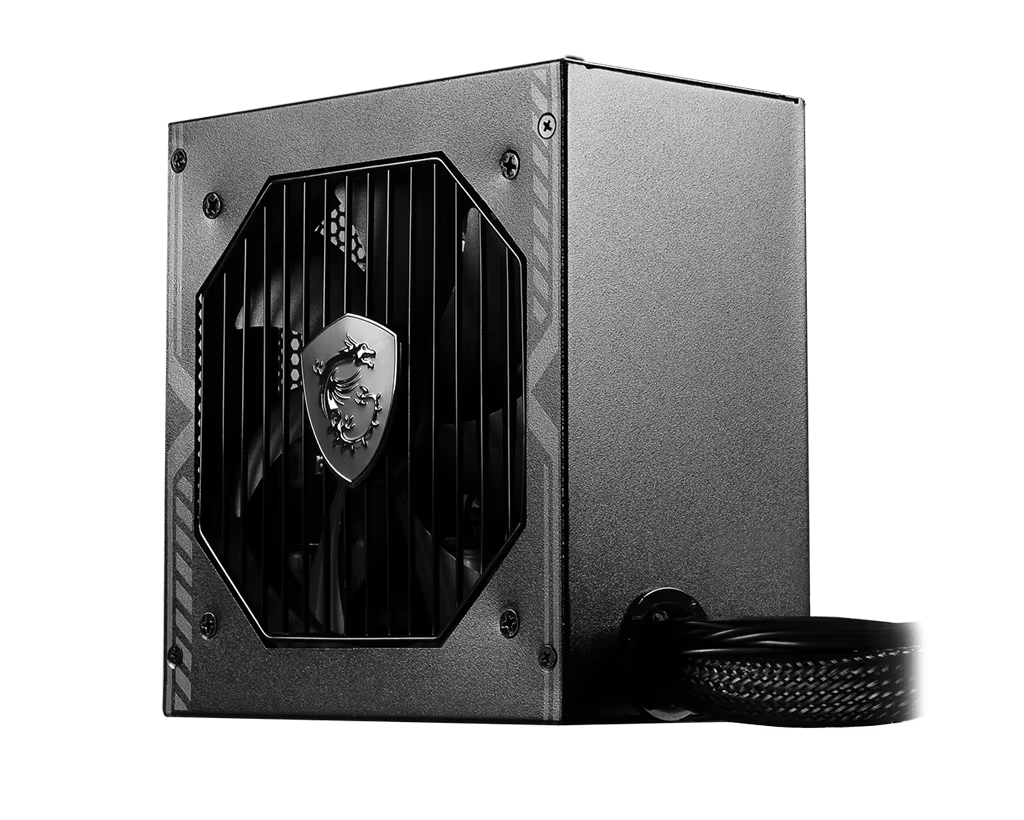
For serious business applications, getting an 80 PLUS Titanium or Platinum certified PSU makes all the difference when it comes to keeping systems running reliably day after day. These power supplies hit around 94% efficiency when operating at their usual 50% load levels, meaning most of what goes in actually gets used instead of turning into wasted heat. The numbers tell the story too: businesses can save between 15 to 20 percent on yearly electricity bills compared to standard Gold rated models just by running continuously. What really matters though is how well these units handle voltage fluctuations. Even when workloads spike suddenly, they keep things stable within a tight ±1% range, so there's no risk of crashes or slowdowns caused by unstable power delivery during critical computing tasks.
Titanium power supplies run about 30 percent cooler compared to regular models, which means less heat buildup around critical components like processors, RAM sticks, and storage drives. Field tests indicate that systems using these PSUs need hardware replacement roughly 45% less frequently after running nonstop for three years straight. The cooling system itself is pretty solid too, with those fluid dynamic bearing fans working alongside specially designed air pathways to keep temperatures stable. These units have gone through extensive testing including over a thousand hours of load changes and temperature extremes, so they hold up well in demanding business environments. That kind of reliability makes them a smart choice when building PCs that need to stay online all day every day without breaking down unexpectedly.
End-to-End Custom PC Build Validation: From Workload Profiling to Vendor-Supported Deployment
When building custom PCs for enterprise environments, companies need much more than just checking if components work together. The real challenge lies in proper validation across multiple stages. First comes detailed workload analysis where we look at things like how intense the computing tasks will be, what kind of memory demands there are, how many virtual machines might run simultaneously, or even how fast AI models need to process information. Then comes the actual validation process which happens in three main steps. Engineering Validation Testing makes sure everything stays cool when pushed hard for long periods. Design Validation Testing checks whether all the hardware actually works well with existing software systems, particularly older ERP programs and databases that many businesses still rely on. Finally, Production Validation Testing looks at whether mass production maintains quality standards and integrates properly with firmware updates. According to Product Development Journal from last year, following this structured approach can cut down expensive last minute changes by somewhere between 40 to 75 percent compared to fixing problems after deployment.
Vendor-supported deployment completes the lifecycle—leveraging engineering expertise to configure security protocols (e.g., TPM-enabled BitLocker), remote management (vPro/DASH), and firmware policies before integration. This minimizes operational disruption, accelerates time-to-value, and ensures each system meets enterprise benchmarks for performance, security, and serviceability—extending usable lifespan and ROI.
Table of Contents
- CPU Selection: Balancing Performance, Stability, and Long-Term Support for Enterprise Workloads
- Motherboard and Platform Foundation: Chipset Capabilities, ECC Memory Support, and Future-Proof Upgrade Paths
- Power Delivery and Thermal Integrity: PSU Certification, Redundancy, and Cooling Design for 24/7 Custom PC Build Reliability
- End-to-End Custom PC Build Validation: From Workload Profiling to Vendor-Supported Deployment