
 EN
EN



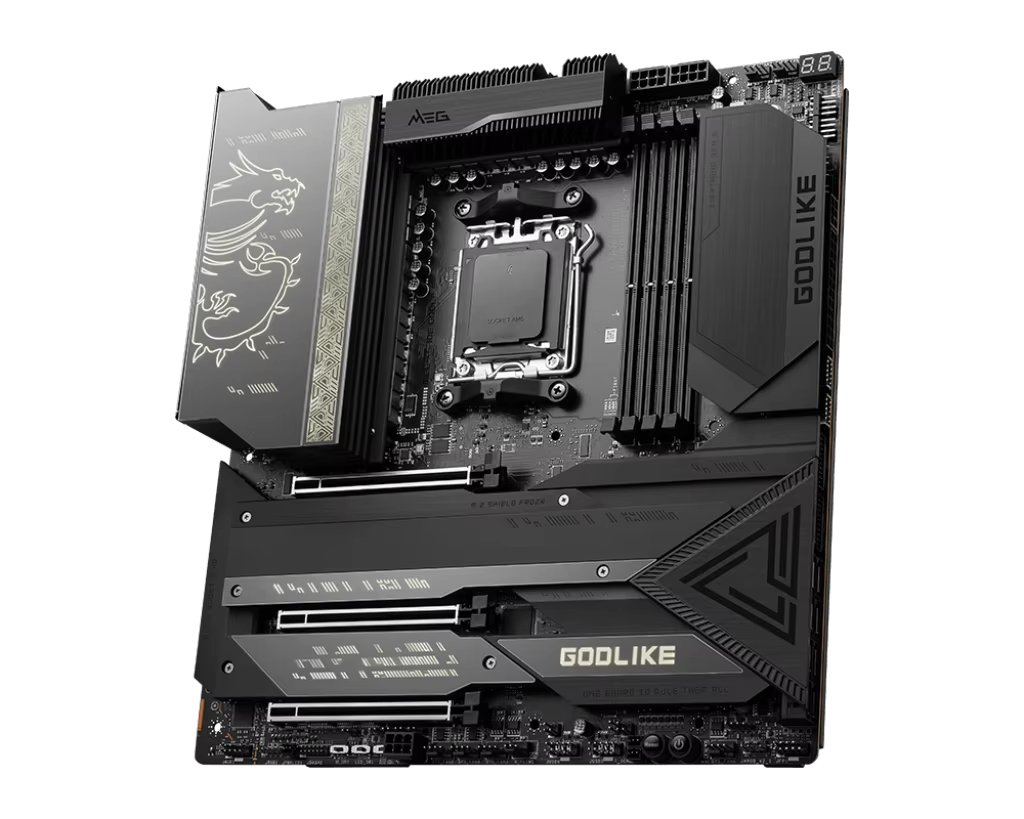
Key Motherboard Chipset Requirements for Hybrid Performance
PCIe Lanes, Memory Bandwidth, and Thermal Design for Concurrent Workloads
A hybrid PC that juggles gaming and content creation demands a motherboard chipset with generous PCIe lanes, high memory bandwidth, and robust thermal management. PCIe lanes connect the CPU to graphics cards, NVMe SSDs, and expansion cards; running a high-FPS game alongside 4K video rendering requires at least 20–24 lanes to support a primary GPU plus multiple fast storage devices without contention. AMD B650 and Intel Z790 chipsets deliver 24–28 lanes—enough for real-world hybrid workloads—while entry-level options like H610 or A620 risk bottlenecks under sustained load.
Memory bandwidth also plays a critical role: DDR5-6000+ modules paired with dual-channel support reduce latency during asset loading, timeline scrubbing, and scene compositing. Crucially, the chipset must reliably enable these speeds—not just advertise them—through validated EXPO (AMD) or XMP (Intel) profiles.
Thermal design is equally vital. Prolonged mixed loads—say, a GPU-intensive game running while a CPU-based render engine churns—stress both the chipset’s own TDP and the motherboard’s VRM cooling. Efficient heatsinks over the chipset and VRM area, sometimes augmented by active fan headers, prevent throttling and maintain responsiveness across both work and play.
Intel vs AMD: H770/B650 vs X670E/B650E — Latency, Multi-Core Support, and Real-World Hybrid Responsiveness
Choosing between Intel and AMD chipsets hinges on workload emphasis—not brand preference. Intel’s H770 and Z790 chipsets deliver strong single-core responsiveness and low-latency gaming performance, especially when paired with unlocked K-series CPUs on LGA1700. However, that socket reaches end-of-life with 14th Gen, limiting long-term platform viability.
AMD’s B650 and X670E chipsets, built on the forward-looking AM5 platform, prioritize multi-core throughput and scalability—ideal for rendering, encoding, and compilation-heavy workflows. Their unified I/O die architecture and larger L3 cache improve inter-core communication and reduce latency in mixed-load scenarios like simultaneous game capture and hardware-accelerated video encoding.
| Feature | Intel H770 / Z790 | AMD B650 / X670E |
|---|---|---|
| Single-core latency | Slightly lower (5–8%) | Competitive, RDNA 3 optimized |
| Multi-core throughput | Good with P‑core + E‑core | Excellent with high core count |
| PCIe Gen5 support | Z790 (GPU + NVMe) | X670E (GPU + NVMe) |
| Memory overclocking | DDR5-6400+ supported | DDR5-6000+ sweet spot |
| Platform longevity | LGA1700 ends with 14th Gen | AM5 supported through 2027+ |
| Typical hybrid use case | High-FPS gaming + light editing | 3D rendering + streaming |
In practice, an X670E motherboard maintains smoother system responsiveness during concurrent GPU-accelerated encoding and real-time gameplay than many Z790 counterparts—largely due to broader PCIe bandwidth allocation and more flexible memory topology. For creator-first hybrids, AMD’s platform advantages often outweigh Intel’s slight edge in pure gaming latency.
Form Factor and Expandability: Matching Physical Layout to Hybrid Use Cases
ATX vs Micro-ATX — When Dual GPUs, Multiple NVMe Drives, or Thunderbolt Expansion Dictate Board Size
For hybrid workstations balancing gaming and creative production, form factor directly dictates expandability—and therefore capability. ATX motherboards provide up to seven expansion slots and typically feature three or four M.2 NVMe connectors, enabling configurations like a primary GPU for gaming, a secondary GPU for CUDA/Blender rendering, dedicated NVMe drives for OS, scratch, and project assets, and additional PCIe cards for audio interfaces or capture hardware.
Micro-ATX boards, while space-efficient, usually offer only two or three PCIe slots and max out at two M.2 slots—limiting flexibility when multiple high-bandwidth peripherals are needed. If your workflow relies on Thunderbolt 4/5 for external RAID arrays or high-bitrate capture devices, confirm the board includes both a dedicated internal header and rear-panel I/O; this combination remains far more common on ATX models.
Physical layout also impacts thermals: wider spacing between components in an ATX chassis improves airflow and reduces thermal crosstalk—critical when both CPU and GPU sustain heavy loads for extended periods. Unless strict space constraints apply (e.g., compact SFF builds), ATX is the recommended foundation for any serious hybrid build involving video editing, 3D modeling, or live streaming.
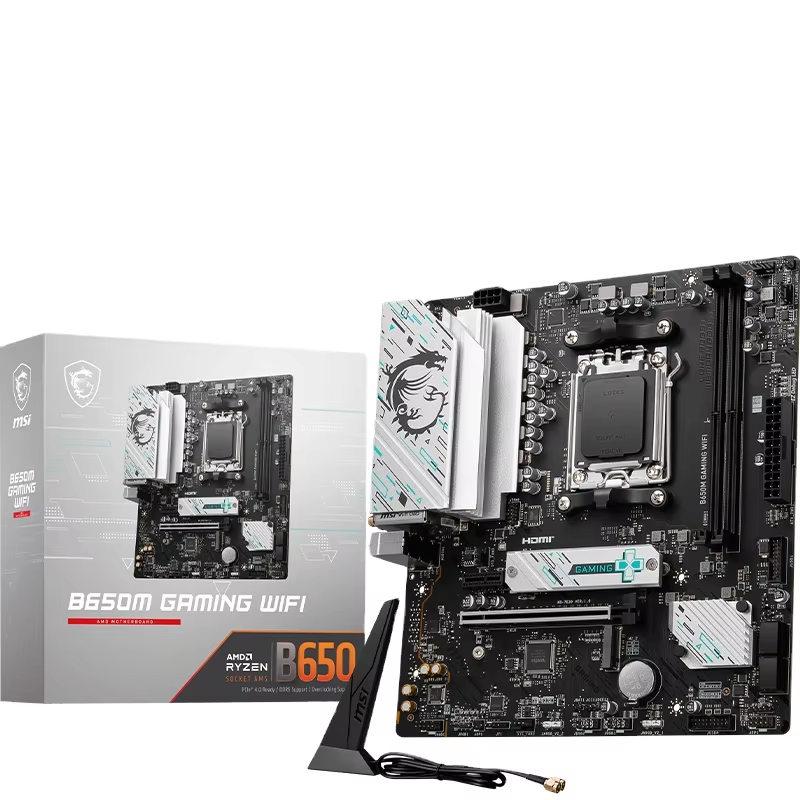
VRM and Power Delivery: Sustaining Stability Under Mixed Gaming + Creative Loads
When you run a modern game while simultaneously encoding video or rendering a complex 3D scene, your CPU draws power unpredictably—demanding both peak current and rapid voltage response. A weak or thermally constrained VRM leads to voltage droop, thermal throttling, and stuttering across both workloads. Robust power delivery isn’t optional—it’s foundational.
Why Robust 12+2 Phase VRMs Excel in Simultaneous Rendering and Real-Time Gaming
A true 12+2 phase VRM design allocates 12 phases to CPU cores and 2 dedicated phases to the SoC (system-on-chip), distributing electrical load and heat more evenly than lower-phase or “doubled” implementations. This design enables sustained all-core turbo frequencies during rendering while preserving instantaneous responsiveness for gaming—without spiking temperatures or introducing ripple-induced memory instability.
These VRMs are typically paired with dense, finned heatsinks over the CPU power stages and chipset—sometimes even with integrated fan mounts—to manage heat under prolonged load. Verified stability under hybrid workloads (e.g., Blender + Cyberpunk 2077) is a stronger indicator of VRM quality than phase count alone. Choose a motherboard with documented thermal headroom and BIOS tuning options—like per-phase current limits or adaptive VDDIO control—to ensure predictable performance across evolving CPU generations.
Future-Proofing Your Hybrid Motherboard: BIOS, Memory OC, and Gen5 NVMe Readiness
Verified DDR5-6000+ Stability and Gen5 NVMe Support in Creator-Focused Models
Future-proofing a hybrid motherboard means prioritizing features that extend usability—not just headline specs. Creator-focused models often ship with mature BIOS versions that officially validate DDR5-6000+ memory overclocking via EXPO or XMP, ensuring stable operation during long renders or multi-app sessions where crashes or data corruption are unacceptable. These profiles aren’t just speed boosts—they’re rigorously tested timing configurations that balance latency, bandwidth, and reliability.
Similarly, native PCIe Gen5 NVMe support delivers sequential read speeds beyond 12 GB/s—cutting load times for massive project files, texture libraries, and raw footage caches. But raw bandwidth isn’t enough: look for boards that include high-quality onboard M.2 heatsinks and configurable PCIe lane routing (e.g., splitting Gen5 bandwidth between GPU and storage). Without proper thermal management, Gen5 drives throttle aggressively, eroding the very advantage they promise.
Crucially, choose a board that explicitly lists verified DDR5-6000+ compatibility and integrated Gen5 NVMe support—not just “Gen5-ready” marketing language. That specificity signals engineering validation, not theoretical capability. Combined with AM5’s multi-year CPU upgrade path or Intel’s Z790 BIOS flashback support, this level of readiness ensures your hybrid platform stays productive and performant for years—not just months.
FAQ
What is the ideal chipset for hybrid workloads?
AMD B650, X670E, and Intel Z790 are ideal chipset choices, offering sufficient PCIe lanes, memory bandwidth, and thermal designs to handle hybrid workloads.
How does DDR5 memory impact hybrid performance?
DDR5 memory with speeds of 6000+ MHz and dual-channel support dramatically improves latency during demanding tasks like video rendering and content creation.
Why are VRMs important for hybrid setups?
VRMs ensure stable power delivery under mixed gaming and creative loads. Robust 12+2 phase VRMs are specifically designed for this purpose, offering efficient power distribution.
Are ATX motherboards better for hybrid workstations?
Yes, ATX motherboards provide more expansion slots, better thermal management, and support for multiple GPUs, drives, and peripherals, making them a superior choice for hybrid systems.
What features make a motherboard future-proof?
Features like verified DDR5-6000+ memory support, Gen5 NVMe readiness, and a multi-year CPU upgrade path ensure a motherboard’s longevity and adaptability to future technologies.
Table of Contents
- Key Motherboard Chipset Requirements for Hybrid Performance
- Form Factor and Expandability: Matching Physical Layout to Hybrid Use Cases
- VRM and Power Delivery: Sustaining Stability Under Mixed Gaming + Creative Loads
- Future-Proofing Your Hybrid Motherboard: BIOS, Memory OC, and Gen5 NVMe Readiness
- FAQ